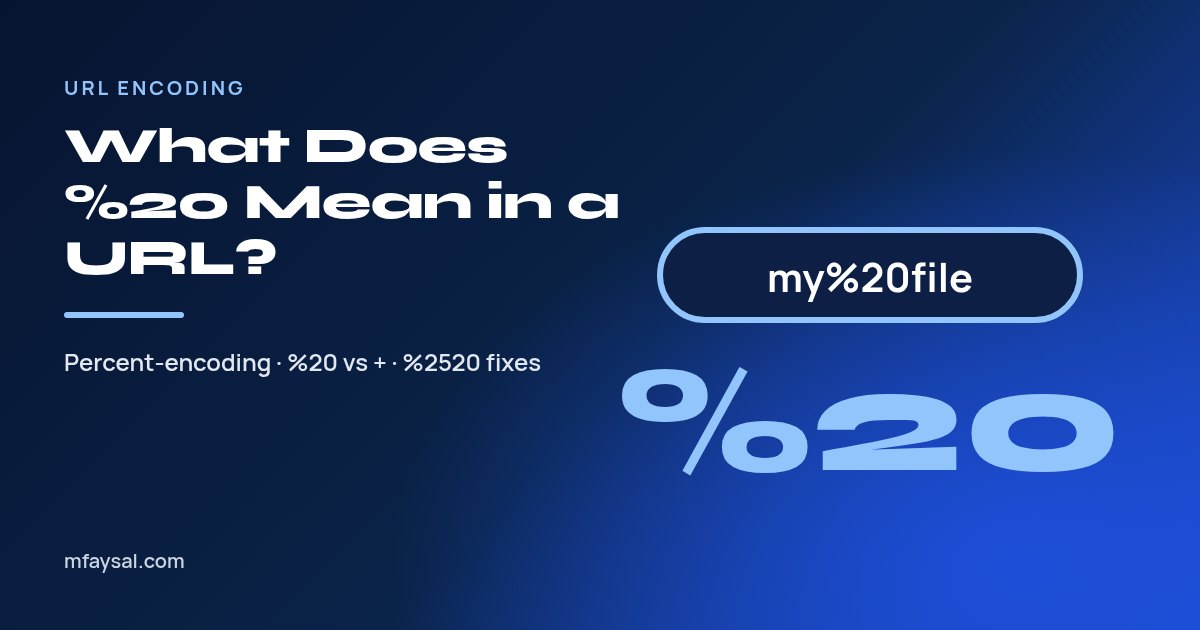
%20 in a URL means a space. URLs can't contain raw spaces, so browsers and servers replace each space with a percent sign followed by 20, the hexadecimal code for the space character. A link to "my holiday photos.pdf" therefore becomes "my%20holiday%20photos.pdf", and the server turns it back into the original name when it receives the request.
The same trick, called percent-encoding or URL encoding, covers every character that would confuse a URL: ampersands, hashes, question marks, accented letters and emoji. Once you know the pattern, those strange %2F and %3D sequences start to read like plain text.
This guide explains where %20 comes from, how it differs from the plus sign, the codes you'll meet most often and how to fix broken links such as %2520. To decode or encode a string right now, paste it into the free URL encoder and decoder.
In this guide:
- Why URLs can't contain spaces
- How %20 is built: the hex code for a space
- Common URL-encoded characters
- %20 vs + : which one means a space?
- Where you'll see %20 in everyday life
- How to encode and decode URLs in code
- Fixing double encoding: %2520 and friends
- Non-English characters: UTF-8 in paths, Punycode in domains
- Reading encoded links safely
- Percent-encoding, SEO and clean URLs
- Frequently asked questions
Why URLs can't contain spaces
A URL has strict grammar. Spaces, quotes and angle brackets aren't part of the allowed character set, partly because they break up text in emails, logs and HTML. A link with a raw space often gets cut off at the gap, leaving a dead link.
Other characters are allowed but have jobs to do. The slash separates folders, the question mark starts the query string, the ampersand separates parameters and the hash marks a fragment. If your data contains one of those characters, the URL needs a way to say "this is data, not structure."
Percent-encoding solves both problems. The rules live in RFC 3986, section 2.1, which says a percent-encoded octet is a percent sign followed by two hexadecimal digits. Browsers follow the related WHATWG URL Standard, which describes the same mechanism for the modern web.
- Unsafe characters, such as spaces, must be encoded.
- Reserved characters, such as ? and &, must be encoded when they appear as data.
- Unreserved characters, such as letters, digits, hyphen, full stop, underscore and tilde, never need encoding.
How %20 is built: the hex code for a space
Every character has a number. In ASCII and UTF-8, the space character is number 32 in decimal. Written in hexadecimal, 32 becomes 20. Put a percent sign in front and you get %20.
The same logic works for any byte:
- Take the character, for example the ampersand (&).
- Find its code: 38 in decimal.
- Convert to hex: 38 becomes 26.
- Add the percent sign: %26.
Hex digits run from 0 to 9 and then A to F, so two of them cover every value from 0 to 255. That's exactly one byte. The standard treats upper and lower case hex as equal, so %2f and %2F mean the same thing, but it recommends upper case for consistency.
If you want to practise the conversion, the hex to decimal converter turns 20 into 32 and back, which makes the whole system click.
Common URL-encoded characters
You'll see the same dozen or so codes again and again. Keep this table handy.
| Character | Encoded | Why it gets encoded |
|---|
| Space | %20 | Not allowed in URLs |
| ! (exclamation) | %21 | Reserved sub-delimiter |
| " (double quote) | %22 | Unsafe in HTML and logs |
| # (hash) | %23 | Starts a fragment |
| % (percent) | %25 | Starts an encoding |
| & (ampersand) | %26 | Separates query parameters |
| + (plus) | %2B | Means space in form data |
| , (comma) | %2C | Reserved sub-delimiter |
| / (slash) | %2F | Separates path segments |
| : (colon) | %3A | Separates scheme and port |
| = (equals) | %3D | Separates name and value |
| ? (question mark) | %3F | Starts the query string |
| @ (at sign) | %40 | Separates user info |
| £ (pound sign) | %C2%A3 | Non-ASCII, two UTF-8 bytes |
| € (euro sign) | %E2%82%AC | Non-ASCII, three UTF-8 bytes |
Notice the last two rows. Characters outside ASCII turn into several codes, one per UTF-8 byte. That's why a URL with Bengali, Chinese or emoji text can look extremely long once encoded.
%20 vs + : which one means a space?
Both can represent a space, but in different places. This trips up even experienced developers.
- In the path (the part before the question mark), a space must be %20. A plus sign in a path is just a plus sign.
- In a query string from an HTML form, browsers use the application/x-www-form-urlencoded format, where a space becomes +.
- In a hand-built query string, %20 is always safe, and most servers accept it.
So "/files/my%20cv.pdf" points to a file called "my cv.pdf", while "/files/my+cv.pdf" points to a file literally called "my+cv.pdf". On the other hand, "?q=red+shoes" from a search form usually means "red shoes".
The safe rule: use %20 everywhere unless you're specifically generating form-encoded data. And when you need a literal plus sign inside a query value, encode it as %2B, or the server may read it as a space.
Where you'll see %20 in everyday life
Percent-encoding shows up far beyond developer tools. These are the places most people notice it:
- Shared file links. Cloud drives and intranets often expose file names, so "Q3 Report Final.xlsx" becomes "Q3%20Report%20Final.xlsx".
- Search result pages. Your search terms appear in the address bar, encoded where needed.
- Email tracking links. Newsletters wrap destination URLs inside other URLs, so you'll see %3A%2F%2F where "://" used to be.
- Social shares. Share buttons pass the page title and URL as encoded parameters.
- Downloaded files. Sometimes a download keeps the encoded name, leaving you with "invoice%20march.pdf" on your desktop.
In most cases you don't need to do anything. Modern browsers decode spaces and many symbols for display, then re-encode them behind the scenes when they send the request.
The exception is when you copy a link out of the address bar. Many browsers copy the encoded version, so a tidy-looking address can paste into a chat or document full of %20 and %C3 codes. That isn't an error. The link still works, and the person who opens it will see the readable version in their own browser.
How to encode and decode URLs in code
Every major language ships with functions for this. Use them rather than writing your own replacements.
| Language | Encode a value | Decode |
|---|
| JavaScript | encodeURIComponent(value) | decodeURIComponent(value) |
| PHP | rawurlencode($value) | rawurldecode($value) |
| Python | urllib.parse.quote(value) | urllib.parse.unquote(value) |
| Java | URLEncoder.encode(value, UTF_8) | URLDecoder.decode(value, UTF_8) |
Watch the small differences. PHP's urlencode() and Java's URLEncoder produce + for spaces because they follow form encoding, while rawurlencode() and JavaScript's encodeURIComponent() produce %20.
In JavaScript, pick the right function for the job. The MDN guide to encodeURIComponent explains that it encodes reserved characters such as / and ?, which makes it right for a single query value. encodeURI() leaves those characters alone, so use it only for a complete URL.
Better still, build query strings with URLSearchParams in JavaScript or urlencode() from Python's urllib.parse. They handle each parameter correctly so you can't forget an ampersand.
Fixing double encoding: %2520 and friends
If you see %2520 in a link, something encoded the URL twice. The first pass turned the space into %20. The second pass treated the percent sign as data and encoded it as %25, leaving %25 followed by 20.
Double encoding breaks links because the server decodes once and looks for a file literally named "my%20file.pdf". Here's how to track it down:
- Decode the URL step by step. If one decode still leaves % codes, you've confirmed a double encode.
- Find where encoding happens. Often a framework encodes automatically and your own code encodes again before passing the value in.
- Encode once, at the edge. Keep raw values in your app, and encode only when you build the final URL.
- Never decode user input repeatedly. RFC 3986 warns against encoding or decoding the same string more than once, because it changes meaning.
The reverse problem happens too. If a server decodes a value twice, a user who types a literal "%20" ends up with a space. That can also open security holes, so stick to one decode per request.
Non-English characters: UTF-8 in paths, Punycode in domains
Encoding non-English text works in two different ways depending on which part of the address you're looking at.
In the path and query, browsers first convert each character to UTF-8 bytes, then percent-encode every byte. The word "café" becomes "caf%C3%A9", because é takes two bytes in UTF-8. A short Bengali or Japanese phrase can easily triple in length once encoded.
Domain names follow a separate system called Punycode. A domain such as "bücher.example" travels across the internet as "xn--bcher-kva.example". You'll never see %XX codes in a domain name; if you do, the link is malformed or deliberately disguised.
- Path or query with accents? Expect UTF-8 percent codes such as %C3%A9.
- Domain with accents? Expect an xn-- prefix behind the scenes.
- Address bar display? Most browsers show the readable version, but copy and paste often reveals the encoded form.
When a decoded word comes out as gibberish such as "café", the bytes were decoded with the wrong character set. Decode as UTF-8 and the text will read correctly again.
Reading encoded links safely
Encoding is harmless on its own, but scammers sometimes use it to hide where a link really goes. A long tracking URL packed with %2F and %3A can bury a dodgy destination deep inside the query string.
Before you click a link you don't trust, take a minute to decode it:
- Copy the link rather than opening it.
- Paste it into a URL decoder and read the plain version.
- Look at the real domain, the part just before the first single slash after "https://".
- Check for redirect parameters such as "url=", "redirect=" or "next=" that point somewhere unexpected.
Spotting "https://yourbank.example.evil.site" is much easier once the encoding is gone. If anything looks off, go to the website directly by typing its address instead of using the link.
Developers should also validate decoded redirect targets on the server. An open redirect that accepts any encoded URL is a gift to phishing campaigns, so keep an allowlist of safe destinations.
Percent-encoding, SEO and clean URLs
Search engines read encoded URLs without trouble, but humans prefer clean ones. A slug like "/blog/how-to-test-a-mic" is easier to share, remember and trust than "/blog/How%20to%20Test%20a%20Mic".
- Use hyphens instead of spaces. Google's own guidance recommends hyphens to separate words in URLs.
- Stick to lower case. Some servers treat upper and lower case as different paths, which creates duplicates.
- Strip punctuation. Question marks, apostrophes and ampersands in titles don't belong in slugs.
- Keep non-English slugs readable. Encoded UTF-8 slugs work, but they look long when people copy and paste them.
A slug generator turns a title such as "What's New in 2026?" into "whats-new-in-2026" in one click, so you never publish a URL full of %20.
Frequently asked questions
What does %20 mean in a URL?
It means a space. URLs can't include raw spaces, so each space is replaced with %20, the hexadecimal code for the space character.
Is %20 the same as a plus sign?
Only in query strings sent by HTML forms, where + also means space. In a URL path, a space must be %20 and a plus sign stays a plus sign.
Why does my link show %2520?
The URL was encoded twice. The % from %20 got encoded as %25. Encode values only once when you build the link.
What does %2F mean in a URL?
%2F is an encoded forward slash. It lets a slash appear as data inside a parameter instead of acting as a folder separator.
Should I use spaces in file names for the web?
Avoid them. Use hyphens or underscores instead, so your links stay clean and you don't depend on %20 encoding.
How do I remove %20 from a URL?
Decode it with a URL decoder, or with decodeURIComponent() in JavaScript. For your own pages, rename files and slugs to use hyphens.
What is %3D in a URL?
%3D is an encoded equals sign. It appears when an equals sign is part of a value, such as a Base64 string, rather than separating a parameter name from its value.
Does %20 affect SEO?
Search engines handle it, but clean hyphenated URLs are easier to read and share. Use hyphens for any URL you control.
Last checked: 18 October 2026. Rates, rules and app settings can change, so confirm anything important with the official source linked above.