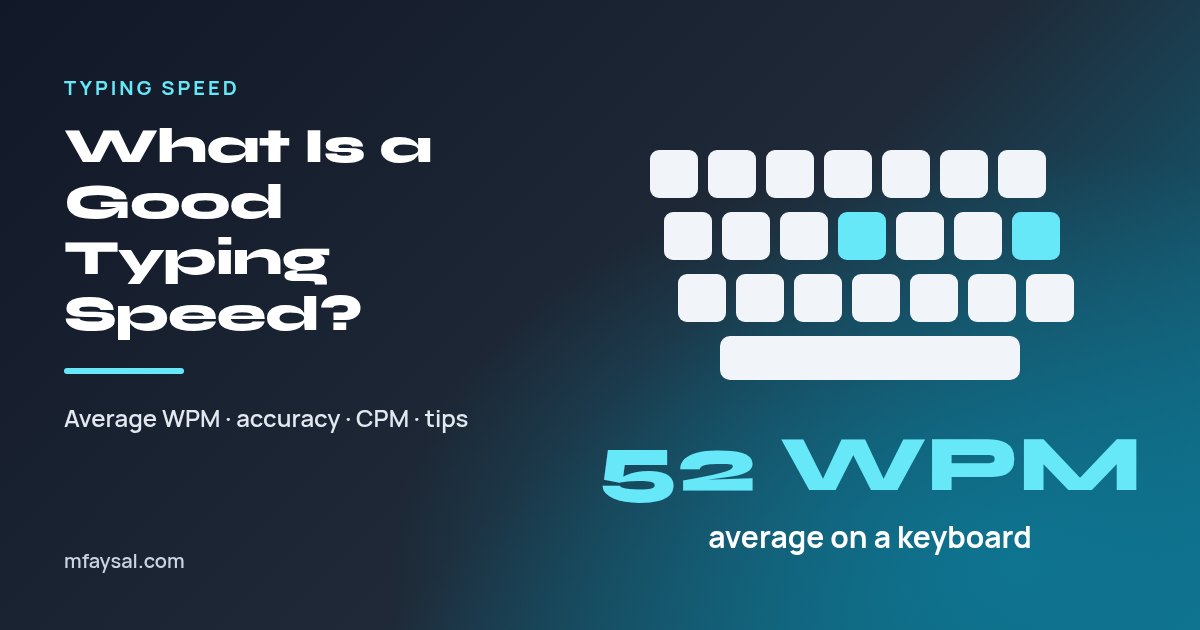
A good typing speed for most people is 50 to 70 words per minute (WPM) with at least 95% accuracy. The average is about 52 WPM on a physical keyboard, according to a study of 168,000 typists, while 70 WPM and above is fast and 100 WPM or more is exceptional.
That's the headline, but the number on a typing test can be misleading. It depends on how "words" are counted, whether mistakes are subtracted, and how long the test runs. A 30-second sprint on easy words can flatter you by 20 WPM compared with three minutes of real text.
This guide explains how WPM is calculated, what the research says about average speeds, how speed is judged for jobs and study, and what genuinely makes people faster. You can check your own baseline first with the free typing speed test.
In this guide:
- How WPM is calculated
- What is the average typing speed?
- Typing speed bands: where do you fit?
- Why accuracy matters more than raw speed
- Typing speed on a phone versus a keyboard
- WPM, CPM and KPH conversions
- What typing speed do you need for jobs and study?
- How fast is typing compared with speaking and handwriting?
- How to improve your typing speed
- How to get a fair result on a typing test
- Frequently asked questions
How WPM is calculated
Typing tests don't count real words. A long word like "responsibility" would count the same as "a", which makes no sense for measuring speed. Instead, the standard in text-entry research is that one word equals five characters, including spaces and punctuation.
Gross WPM = (characters typed ÷ 5) ÷ minutes
So if you type 1,300 characters in 5 minutes, that's 260 "words" in 5 minutes, or 52 gross WPM.
Many tests then adjust for mistakes. A common approach is net WPM:
Net WPM = gross WPM − (uncorrected errors ÷ minutes)
If you typed 60 gross WPM over 2 minutes but left 10 errors uncorrected, your net speed is 60 − (10 ÷ 2) = 55 WPM. Errors you fix with Backspace don't count against net WPM, but they still cost time, which shows up as a lower gross speed.
The large academic study described below used exactly this five-character definition. That makes its average a fair benchmark for any test that does the same.
What is the average typing speed?
The best evidence comes from a 2018 study by researchers at Aalto University and the University of Cambridge. They analysed more than 136 million keystrokes from 168,960 volunteers who transcribed randomised sentences, with about 68% of participants from the US.
The findings, published as Observations on Typing from 136 Million Keystrokes, were:
- The average speed was 51.56 WPM, usually rounded to 52 WPM.
- Speeds varied widely, with a standard deviation of about 20 WPM. Most people typed between 30 and 60 WPM.
- The fastest typists reached 120 WPM or more.
- People who had taken a typing course were, on average, only about 5 WPM faster than those who hadn't.
Keep in mind that volunteers who choose to take a typing test are probably keener than average, and most were younger. The true population average may be a little lower. Even so, 52 WPM is the most reliable single figure available.
The researchers also noted that professional typists studied in the 1970s and 1980s typically reached 60 to 90 WPM. Everyday computer users today type more, but less formally, than the typing-pool professionals of that era.
Typing speed bands: where do you fit?
Use this as a rough guide for desktop keyboard typing, based on net WPM over a test of at least one minute.
| Net WPM | How it compares | What it feels like |
|---|
| Under 25 | Well below average | Often looking at the keys; typing slows your thinking |
| 25 to 39 | Below average | Fine for short messages; long reports feel slow |
| 40 to 54 | Around average | Comfortable for everyday email and study |
| 55 to 69 | Above average | Typing keeps up with most of your thoughts |
| 70 to 89 | Fast | Usually touch typing without looking down |
| 90 to 119 | Very fast | Typically trained or very experienced typists |
| 120+ | Exceptional | A small fraction of typists in the large study |
Speed is only half the story. Someone typing 75 WPM at 88% accuracy will often finish a document later than someone at 60 WPM and 98% accuracy, because finding and fixing mistakes takes time.
Why accuracy matters more than raw speed
Most typing tests report accuracy as the percentage of characters typed correctly. For practical work, aim for 95% or higher, and for anything that has to be right first time, such as data entry or transcription, aim for 98% or better.
The 136 million keystroke study found that fast typists made fewer mistakes, not more. Speed and accuracy tend to improve together, because both come from fluent finger movements rather than hunting for keys.
Here's how errors erode real output on a 500-word document:
| Speed and accuracy | Typing time | Typos to fix (approx.) |
|---|
| 50 WPM, 98% | 10 minutes | About 50 characters |
| 60 WPM, 95% | About 8.3 minutes | About 125 characters |
| 75 WPM, 90% | About 6.7 minutes | About 250 characters |
The typo counts assume 2,500 characters (500 words of five characters). Every error means spotting it, moving back and retyping, so the fastest-but-sloppiest typist can easily lose their head start. A word and character counter is handy for checking how long your own documents really are.
Typing speed on a phone versus a keyboard
A follow-up study by the same research group looked at mobile typing. Published as How do People Type on Mobile Devices?, it analysed 37,370 volunteers and found:
- The average speed on a phone was about 36 WPM, roughly 70% of the desktop figure.
- Most people (about 74%) typed with two thumbs.
- Using autocorrect was linked to faster typing, while relying on word prediction was linked to slower typing.
- People left around 2.3% of errors uncorrected.
So if you score 35 WPM on a phone test, you're right on average. Don't compare a phone score with a desktop benchmark; they measure different skills.
WPM, CPM and KPH conversions
Some employers and tests quote characters per minute (CPM) or keystrokes per hour (KPH) instead of WPM. Using the five-character word, the conversions are simple:
- CPM = WPM × 5
- KPH = WPM × 5 × 60 (assuming steady typing with no pauses)
| WPM | CPM | KPH |
|---|
| 30 | 150 | 9,000 |
| 40 | 200 | 12,000 |
| 52 (average) | 260 | 15,600 |
| 60 | 300 | 18,000 |
| 70 | 350 | 21,000 |
| 80 | 400 | 24,000 |
| 100 | 500 | 30,000 |
Real KPH in data-entry jobs is usually lower than these figures, because typing numbers, switching fields and checking the screen all slow you down. Number-pad work is also measured differently from prose, so a separate numeric test is common.
What typing speed do you need for jobs and study?
There's no official standard, and requirements vary by employer. What follows is a practical guide to what people in each type of role tend to need, not a rule.
- General office and admin: 40 to 50 WPM with good accuracy is usually enough. Many adverts that mention a speed ask for something in this range.
- Secretarial, PA and customer chat: 50 to 70 WPM helps, because you're typing while listening or reading.
- Transcription and captioning: often 60 to 80 WPM or more, with very high accuracy. Real-time captioning needs specialist methods such as stenography.
- Data entry: often judged in KPH or numeric accuracy rather than prose WPM.
- Programming: raw speed matters less than you'd think. Code is full of symbols, and most time goes into thinking, reading and testing.
- University: 40+ WPM makes note-taking and essays far less painful, and it matters in timed online exams.
If a job asks for a typing test, check the format in advance: duration, whether backspace is allowed, and whether they score gross or net WPM.
How fast is typing compared with speaking and handwriting?
Typing is quicker than handwriting for most adults, but much slower than speech. Conversational speaking runs at well over 100 words per minute, which is why dictation software is popular for drafting.
That gap is useful when you plan writing time. An average typist at 52 WPM needs about 10 minutes of pure typing to produce a 500-word draft, before any thinking or editing. In reality, composing new text runs well below test speed, because you pause to decide what to say. Copy-typing tests overstate how fast you'll write an original essay.
If you're preparing a talk rather than a document, the maths runs the other way. Our guide to how many words a 5-minute speech needs covers speaking pace and script length.
How to improve your typing speed
The 136 million keystroke study found two traits that separated fast typists from slower ones, and both are learnable.
- Rollover typing. Fast typists often press the next key before releasing the previous one. In the study this was strongly linked to speed (a correlation of 0.73). It develops naturally once your fingers know where keys are, so you don't have to force it.
- Using more fingers. The number of fingers people reported using predicted their performance. Two-finger "hunt and peck" typists can be quick, but they hit a ceiling.
A practical plan that works for most people:
- Learn home row position. Rest your fingers on A S D F and J K L ;, using the bumps on F and J to find them without looking.
- Practise accuracy first. Slow down until you're making almost no errors. Speed follows.
- Practise 10 to 15 minutes a day. Short daily sessions beat one long weekly session.
- Use real text. Once the basics feel natural, practise with paragraphs and punctuation, not only word lists.
- Retest weekly. Use the same test length each time so the numbers are comparable.
Most adults who move from two-finger typing to touch typing see a dip at first, then pass their old speed within a few weeks of daily practice.
How to get a fair result on a typing test
To get a number you can trust and compare over time:
- Test for at least one minute, ideally three. Short tests reward a lucky start and punish one early mistake.
- Use random text, not text you've memorised. The researchers behind the large study warned that tests letting you practise the same sentences produce unrealistically high scores.
- Look at net WPM and accuracy together. A high gross speed with poor accuracy isn't a real-world speed.
- Use your normal keyboard and posture. A laptop on your knees will score lower than the same laptop on a desk.
- Take the median of three attempts. It smooths out one great or one terrible run.
Write down your result and the test settings. Comparing like with like is the only way to know whether practice is working.
Frequently asked questions
What is a good typing speed?
For most people a good typing speed is 50 to 70 words per minute with at least 95% accuracy. Around 40 WPM is enough for everyday office work, 70 WPM or more is fast, and 100 WPM or above is exceptional.
What is the average typing speed?
A study of 168,960 volunteers and 136 million keystrokes found an average of 51.56 words per minute on a physical keyboard, usually rounded to 52 WPM. Most people typed between 30 and 60 WPM.
Is 40 WPM a good typing speed?
40 WPM is a little below the measured average of about 52 WPM but is perfectly workable for everyday email, study and general office tasks. With daily practice, most people can move from 40 to 50 or 60 WPM.
Is 60 WPM good?
Yes. 60 WPM with good accuracy is above average and comfortable for almost any office or study task. It is a common target for roles that involve a lot of typing, such as PA or customer chat work.
How is words per minute calculated?
Typing tests count every five characters, including spaces, as one word. Gross WPM is characters typed divided by five, divided by minutes. Net WPM then subtracts uncorrected errors per minute.
What is a good typing speed on a phone?
A study of 37,370 people found an average mobile typing speed of about 36 WPM, mostly using two thumbs. Anything around 35 to 40 WPM on a phone is typical, and 50 WPM or more is fast.
How long does it take to improve typing speed?
Many people see a clear improvement within a few weeks of 10 to 15 minutes of daily practice. Switching from two-finger typing to touch typing often causes a short dip before speed overtakes the old level.
How do I convert WPM to keystrokes per hour?
Multiply WPM by 5 to get characters per minute, then by 60 to get keystrokes per hour. For example, 40 WPM is 200 characters per minute, or 12,000 keystrokes per hour of steady typing.
Last checked: 19 October 2026. Figures, settings and guidance can change, so confirm anything important with the sources linked above.