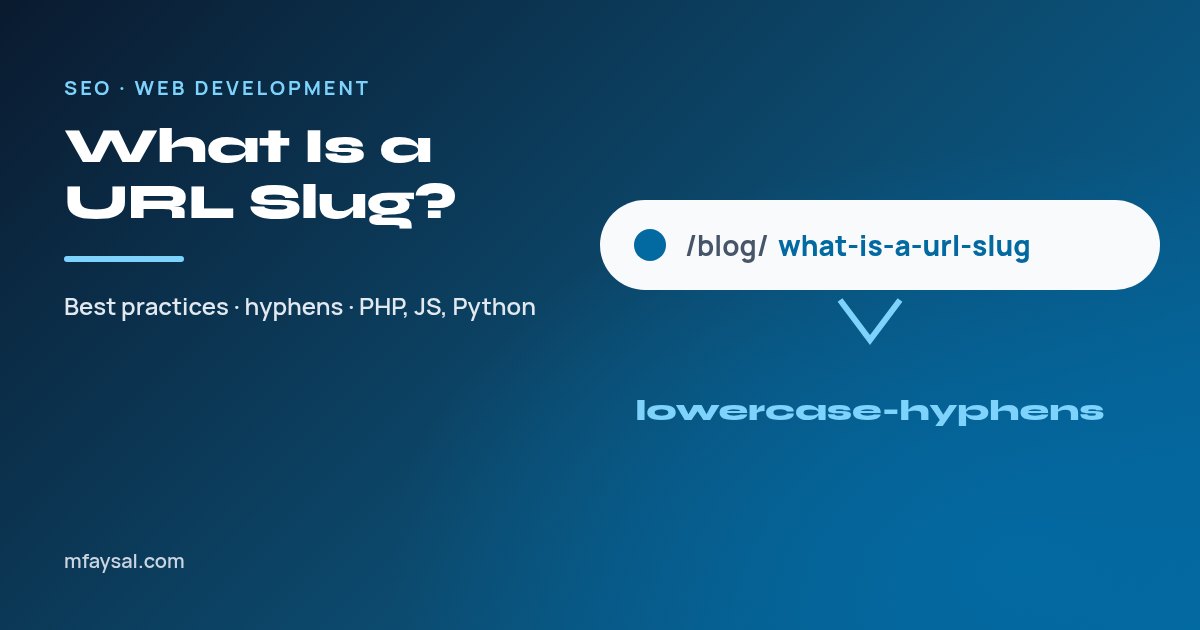
A URL slug is the readable part of a web address that identifies one specific page, usually after the last slash. In https://example.com/blog/what-is-a-url-slug, the slug is "what-is-a-url-slug". A good slug is short, lowercase, uses hyphens between words and describes the page's topic.
The word comes from newspaper publishing, where a "slug" was a short working name for a story as it moved through production. On the web, it does the same job: a stable, human-friendly label for a page.
This guide covers what Google actually recommends, the common mistakes, how to change a slug without losing traffic, and working code for generating slugs in PHP, JavaScript and Python. To make one instantly, paste a title into the URL slug generator.
In this guide:
- Where the slug sits in a URL
- What Google says about URL structure
- What makes a good slug
- Hyphens vs underscores, spaces and other characters
- How long should a URL slug be?
- Should you ever change a slug?
- How to create a slug in PHP
- How to create a slug in JavaScript and Python
- Slugs, folders and dates in the path
- Handling duplicate slugs in a database
- Slugs and percent-encoding for non-English content
- Frequently asked questions
Where the slug sits in a URL
A full URL has several parts. Using a typical blog address:
| Part | Example | What it does |
|---|
| Scheme | https:// | The protocol the browser uses |
| Host (domain) | example.com | Which website |
| Path | /blog/what-is-a-url-slug | Which page on the site |
| Slug | what-is-a-url-slug | The page-specific, readable part of the path |
| Query string | ?ref=newsletter | Optional parameters |
| Fragment | #examples | A position within the page; never sent to the server |
On most content management systems, the slug is the only part of the path you choose per page. WordPress calls it the "permalink" or "slug", Shopify calls it the "URL handle", and many custom PHP or Node apps store it in a slug column in the database.
What Google says about URL structure
Google's guide to URL structure best practices is short and practical. The points that matter for slugs are:
- Use descriptive URLs. Readable words are better than long ID numbers.
- Use your audience's language. If your readers search in German, use German words in the URL.
- Use hyphens to separate words. Google recommends hyphens (-) rather than underscores (_), because underscores are commonly used to join words that belong together, as in programming names like
format_date. - Be aware that URLs are case sensitive. Google treats /APPLE and /apple as different URLs, so pick one case, which in practice means lowercase.
- Percent-encode non-ASCII characters in links where needed.
Notice what isn't on that list: there's no rule about exact length, and no requirement to stuff in keywords. A slug is a small signal at most. Its real value is that people can see what a link is about before they click it.
What makes a good slug
Here's a checklist you can apply to every new page:
- Lowercase only. Avoids duplicate URLs that differ only by case.
- Hyphens between words. Not spaces, underscores or joined-up words.
- Describe the topic, not the headline. "how-to-calculate-vat" is better than "the-only-vat-guide-youll-ever-need".
- Keep it short. Three to six meaningful words is usually enough. Drop filler words like "a", "the" and "and" if the slug still reads naturally.
- Leave out dates and numbers that will change. "best-laptops-2026" forces a new URL every year; "best-laptops" can be updated in place. Keep a year only when it's essential to the topic, such as a tax-year guide.
- Use only safe characters: a to z, 0 to 9 and hyphens.
- Make it unique within its section of the site.
| Poor slug | Better slug | Why |
|---|
| post.php?id=4821 | how-to-test-a-mic | Readable and descriptive |
| How_To_Test_A_Mic | how-to-test-a-mic | Lowercase, hyphens |
| howtotestamic | how-to-test-a-mic | Words separated |
| how-to-test-a-mic-on-windows-mac-iphone-android-and-chrome-in-2026 | how-to-test-a-mic | Shorter, won't date |
| café-menü | cafe-menu | ASCII-safe (or percent-encode) |
Hyphens vs underscores, spaces and other characters
Hyphens are the standard word separator, as Google's guidance recommends. Here's what happens with the alternatives:
- Spaces aren't allowed in URLs. Browsers convert them to
%20, producing ugly addresses like my%20new%20post. Our guide to what %20 means in a URL explains why. - Underscores work technically, but Google recommends hyphens instead.
- Plus signs mean a space in query strings, so they're confusing in paths.
- Ampersands, question marks and hashes have special meanings in URLs. A slug containing "?" will break the path at that point.
- Apostrophes and quotes should be removed: "don't" becomes "dont".
A good slug function converts accented letters to plain equivalents (é to e), removes everything that isn't a letter, digit or space, and then turns runs of spaces or punctuation into a single hyphen.
How long should a URL slug be?
There's no official limit for SEO, but shorter is generally better for people. Short slugs are easier to read in search results, easier to share and less likely to be cut off in chat apps or email.
| Length | Example | Verdict |
|---|
| 1 to 2 words | vat | Often too vague, unless it's a top-level page |
| 3 to 6 words | how-to-calculate-vat-uk | Ideal for most articles and tools |
| 7 to 10 words | how-to-calculate-vat-in-the-uk-for-small-businesses | Acceptable but consider trimming |
| 10+ words | Full headline copied in | Too long; trim to the core topic |
A useful test: could someone guess the page's topic from the slug alone, with nothing else? If yes, it's long enough. If you can remove a word and the answer is still yes, it's probably a little too long.
Should you ever change a slug?
Only when there's a real reason, such as a typo, a misleading slug or a site restructure. A URL is an address that other sites, bookmarks and search engines already point to. Changing it without care breaks all of those links.
If you do change one, follow these steps:
- Add a permanent 301 redirect from the old URL to the new one. This sends visitors and search engines to the right place.
- Update internal links on your own site to point straight to the new URL, rather than relying on the redirect.
- Update your XML sitemap so it lists only the new URL.
- Keep the redirect in place long-term. Old links on other sites can live for years.
Never change a slug just to add a keyword or a new year. The small potential gain rarely outweighs the risk of a temporary dip while search engines process the change.
How to create a slug in PHP
A dependable PHP slug function needs to handle accents, punctuation and repeated separators. This version uses the intl extension's transliterator when it's available, with a simpler fallback:
function slugify(string $text): string
{
    if (function_exists('transliterator_transliterate')) {
        $text = transliterator_transliterate('Any-Latin; Latin-ASCII', $text);
    } else {
        $text = iconv('UTF-8', 'ASCII//TRANSLIT//IGNORE', $text);
    }
    $text = strtolower($text);
    $text = preg_replace('/[^a-z0-9]+/', '-', $text);
    return trim($text, '-');
}

echo slugify("Café Menü: 10 Best Dishes!"); // cafe-menu-10-best-dishes
The key line is the regular expression. [^a-z0-9]+ matches any run of characters that isn't a lowercase letter or digit and replaces the whole run with one hyphen. That handles spaces, punctuation and double hyphens in one step. The final trim removes hyphens left at either end.
How to create a slug in JavaScript and Python
JavaScript
function slugify(text) {
  return text
    .normalize('NFKD')                 // split accents from letters
    .replace(/[\u0300-\u036f]/g, '')   // remove the accent marks
    .toLowerCase()
    .replace(/['\u2019]/g, '')           // drop apostrophes: what's -> whats
    .replace(/[^a-z0-9]+/g, '-')
    .replace(/^-+|-+$/g, '');
}

slugify("What's New in PHP 8.6?"); // "whats-new-in-php-8-6"
Unicode normalisation (NFKD) separates a letter like "é" into "e" plus a combining accent, which the next line removes.
Python
import re
import unicodedata

def slugify(text: str) -> str:
    text = unicodedata.normalize("NFKD", text)
    text = text.encode("ascii", "ignore").decode("ascii")
    text = re.sub(r"[^a-z0-9]+", "-", text.lower())
    return text.strip("-")

print(slugify("Résumé Tips & Tricks"))  # resume-tips-tricks
The JavaScript version deletes apostrophes before the main replacement, so "What's" becomes "whats". Without that line you'd get "what-s", because the apostrophe would be treated like any other punctuation. The PHP and Python versions above don't strip apostrophes, so add the same step there if your titles often contain them.
Slugs, folders and dates in the path
The slug is only one part of the path. How you structure the folders around it matters too.
| Pattern | Example | Trade-off |
|---|
| Flat | /blog/what-is-a-url-slug | Short and stable; the post can move category without changing URL |
| Category folder | /blog/seo/what-is-a-url-slug | Shows context, but recategorising a post changes its URL |
| Date folders | /2026/10/19/what-is-a-url-slug | Useful for news; makes evergreen guides look old and adds length |
| ID plus slug | /posts/4821/what-is-a-url-slug | Lets the app find the post by ID even if the slug is edited |
For most blogs and tool sites, the flat pattern is the simplest to maintain. Whatever you choose, keep it consistent across the site and decide before you publish many pages. Changing the pattern later means redirecting every URL.
If you use the ID-plus-slug pattern, make the app redirect any wrong slug to the correct one for that ID, so there's only ever one address per page.
Handling duplicate slugs in a database
Two posts can easily end up with the same title, for example two posts called "Monthly update". Slugs must be unique within a section, so your code needs a rule for clashes. The common pattern is to add a number:
function uniqueSlug(PDO $db, string $title): string
{
    $base = slugify($title);
    $slug = $base;
    $n = 2;
    $q = $db->prepare('SELECT 1 FROM posts WHERE slug = ?');
    while (true) {
        $q->execute([$slug]);
        if (!$q->fetchColumn()) return $slug;
        $slug = $base . '-' . $n++;
    }
}
This produces monthly-update, monthly-update-2, monthly-update-3 and so on. Also add a UNIQUE index on the slug column. The loop prevents most clashes, but only the database index can guarantee uniqueness when two people save at the same moment.
Store the slug once when the page is created. Don't regenerate it automatically whenever someone edits the title, or you'll change live URLs by accident.
Slugs and percent-encoding for non-English content
If your audience reads a language that doesn't use the Latin alphabet, you have two options. You can transliterate to ASCII (for example, Russian "привет" to "privet"), or keep the native script. Google's guidance supports using your audience's language and notes that non-ASCII characters should be percent-encoded in links.
Browsers show native-script slugs nicely in the address bar, but when copied, the URL often turns into long percent-encoded strings like %D0%BF%D1%80%D0%B8.... That's correct and works fine, but it looks messy in emails and chat. Many sites choose transliteration for that reason.
To see exactly how a slug will be encoded, run it through the URL encoder and decoder.
Frequently asked questions
What is a URL slug?
A URL slug is the readable part of a web address that identifies a specific page, usually after the last slash. In example.com/blog/what-is-a-url-slug, the slug is what-is-a-url-slug.
Should a URL slug use hyphens or underscores?
Use hyphens. Google recommends hyphens instead of underscores to separate words in URLs, because underscores are commonly used to join words together, for example in programming names.
How long should a URL slug be?
There is no strict limit, but three to six meaningful words works well for most pages. The slug should describe the topic clearly without copying the full headline.
Do URL slugs affect SEO?
Descriptive slugs help people and search engines understand a page, and Google recommends readable words over ID numbers. They are a small factor, though, and good content matters far more.
Should URL slugs be lowercase?
Yes. Google treats URLs as case sensitive, so /Page and /page can be seen as different addresses. Using lowercase consistently avoids duplicates.
Can I change a URL slug after publishing?
You can, but add a permanent 301 redirect from the old URL to the new one, update internal links and your sitemap, and keep the redirect in place. Only change slugs when there is a real reason.
Should I include the year in a slug?
Usually not, because it forces a new URL when the year changes. Include a year only when it is essential to the topic, such as a guide to a specific tax year.
How do I make a URL slug in PHP?
Transliterate accents to ASCII, convert to lowercase, replace every run of characters that is not a letter or digit with a hyphen using preg_replace, then trim hyphens from both ends.
Last checked: 19 October 2026. Figures, settings and guidance can change, so confirm anything important with the sources linked above.