To convert a decimal number to binary, divide it by 2 repeatedly and write down each remainder, then read the remainders from bottom to top. For example, 13 ÷ 2 gives remainders 1, 0, 1, 1, so 13 in binary is 1101. A second method is to subtract the largest powers of 2 that fit: 13 = 8 + 4 + 1, which is also 1101.
Both methods are worth knowing. Repeated division always works and is easy to do on paper. The powers-of-2 method is faster for small numbers and helps you understand what binary digits actually mean.
This guide walks through both with worked examples, covers checking your answer, negative numbers, fractions, and gives one-line code for JavaScript, Python and PHP. To check any answer, the decimal to binary converter also shows hex and octal.
In this guide:
- How binary numbers work
- Method 1: divide by 2 and record the remainders
- Method 2: subtract powers of 2
- More worked examples
- Decimal to binary cheat sheet
- How to check your answer: binary back to decimal
- Negative numbers: two's complement
- Converting decimal fractions to binary
- Decimal to binary in JavaScript, Python and PHP
- Shortcut: decimal to hex and octal via binary
- Practice problems (with answers)
- Where you'll actually use binary
- Frequently asked questions
How binary numbers work
Our everyday decimal system is base 10. Each position is worth ten times the one to its right: ones, tens, hundreds, thousands.
Binary is base 2. It uses only the digits 0 and 1, and each position is worth twice the one to its right:
| Position (from right) | 8th | 7th | 6th | 5th | 4th | 3rd | 2nd | 1st |
|---|
| Power of 2 | 2⁷ | 2⁶ | 2⁵ | 2⁴ | 2³ | 2² | 2¹ | 2⁰ |
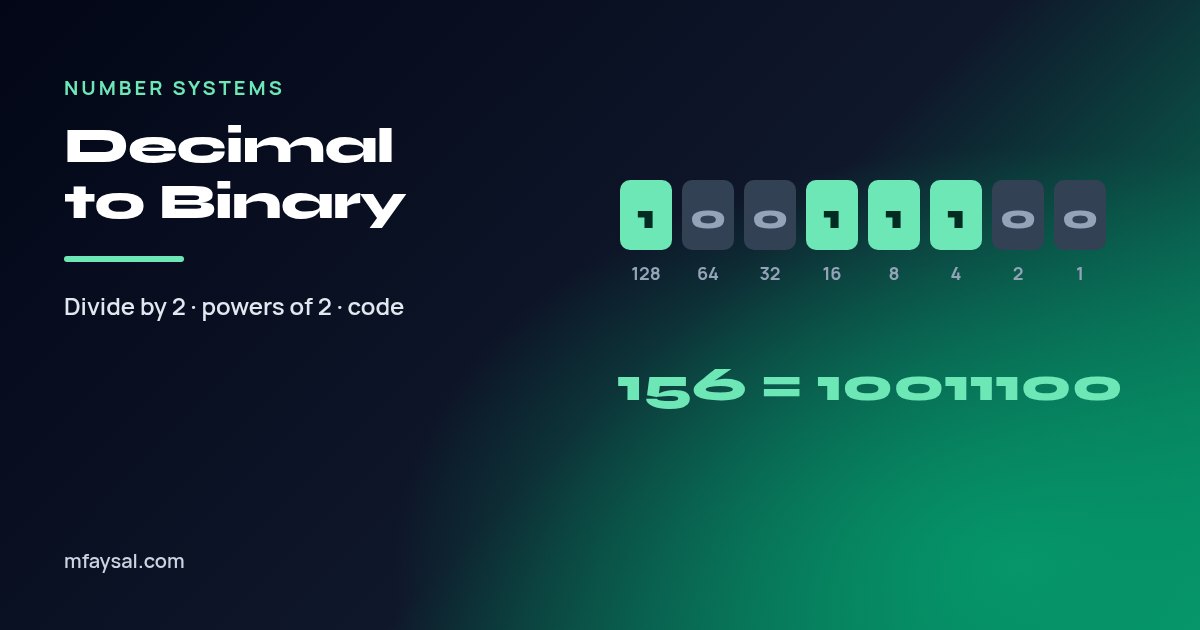
| Value | 128 | 64 | 32 | 16 | 8 | 4 | 2 | 1 |
A 1 in a position means "include this value" and a 0 means "leave it out". So binary 1101 means 8 + 4 + 0 + 1 = 13.
Each binary digit is called a bit, and eight bits make a byte. With 8 bits you can represent 2⁸ = 256 different values, from 0 to 255. That's why 255 turns up so often in computing, from RGB colours to IP address parts.
Method 1: divide by 2 and record the remainders
This method works for any whole number, however large.
- Divide the number by 2.
- Write down the remainder (it will be 0 or 1).
- Replace the number with the whole-number result of the division.
- Repeat until the number reaches 0.
- Read the remainders from the last one to the first.
Example: convert 156 to binary.
| Division | Result | Remainder |
|---|
| 156 ÷ 2 | 78 | 0 |
| 78 ÷ 2 | 39 | 0 |
| 39 ÷ 2 | 19 | 1 |
| 19 ÷ 2 | 9 | 1 |
| 9 ÷ 2 | 4 | 1 |
| 4 ÷ 2 | 2 | 0 |
| 2 ÷ 2 | 1 | 0 |
| 1 ÷ 2 | 0 | 1 |
Reading the remainder column from bottom to top gives 10011100. So 156 in decimal is 10011100 in binary.
The most common mistake is reading the remainders top to bottom, which gives 00111001 (57), a completely different number. The first remainder you write is the rightmost bit, the ones place.
Method 2: subtract powers of 2
This method is quicker in your head once you know the powers of 2: 1, 2, 4, 8, 16, 32, 64, 128, 256, 512, 1024.
- Find the largest power of 2 that is less than or equal to your number. Put a 1 in that position.
- Subtract it from your number.
- Move to the next smaller power of 2. If it fits into what's left, put a 1 and subtract; if not, put a 0.
- Continue down to 1.
Example: convert 42 to binary.
| Power | 32 | 16 | 8 | 4 | 2 | 1 |
|---|
| Fits? | Yes (42 − 32 = 10) | No | Yes (10 − 8 = 2) | No | Yes (2 − 2 = 0) | No |
| Bit | 1 | 0 | 1 | 0 | 1 | 0 |
So 42 = 32 + 8 + 2 = 101010 in binary.
This method makes the meaning of each bit obvious, which helps when you're working with bit flags or subnet masks.
More worked examples
Example: 5
5 = 4 + 1, so the bits for 4, 2 and 1 are 1, 0, 1: 101.
Example: 100
100 = 64 + 32 + 4. Positions 64, 32, 16, 8, 4, 2, 1 give 1, 1, 0, 0, 1, 0, 0: 1100100.
Example: 200
200 = 128 + 64 + 8. That's 11001000.
Example: 1000
Using repeated division: 1000, 500, 250, 125, 62, 31, 15, 7, 3, 1 give remainders 0, 0, 0, 1, 0, 1, 1, 1, 1, 1. Reading bottom to top: 1111101000. Check: 512 + 256 + 128 + 64 + 32 + 8 = 1000.
A quick sanity check for any answer: odd numbers always end in 1 and even numbers always end in 0, because the last bit is the ones place.
Decimal to binary cheat sheet
Common values worth recognising, with 8-bit (one byte) versions padded with leading zeros.
| Decimal | Binary | 8-bit | Hex |
|---|
| 0 | 0 | 00000000 | 0 |
| 1 | 1 | 00000001 | 1 |
| 2 | 10 | 00000010 | 2 |
| 5 | 101 | 00000101 | 5 |
| 10 | 1010 | 00001010 | A |
| 15 | 1111 | 00001111 | F |
| 16 | 10000 | 00010000 | 10 |
| 32 | 100000 | 00100000 | 20 |
| 64 | 1000000 | 01000000 | 40 |
| 100 | 1100100 | 01100100 | 64 |
| 127 | 1111111 | 01111111 | 7F |
| 128 | 10000000 | 10000000 | 80 |
| 200 | 11001000 | 11001000 | C8 |
| 255 | 11111111 | 11111111 | FF |
Leading zeros don't change the value. 101 and 00000101 are both 5; the padded version just shows the full byte.
How to check your answer: binary back to decimal
To convert binary to decimal, write the place values above the bits and add up every value that has a 1 under it.
Example: 10011100.
128 + 16 + 8 + 4 = 156, which matches our earlier example.
Another fast check is to convert to hexadecimal, because each hex digit is exactly four bits. Split 10011100 into 1001 and 1100: that's 9 and C, so 9C in hex. And 9C in hex is 9 × 16 + 12 = 156. The hex to decimal converter is useful for checking larger values this way.
Negative numbers: two's complement
Computers usually store negative integers using two's complement. For a fixed number of bits, a negative number −n is stored as 2bits − n.
For example, in 8 bits, −5 is stored as 256 − 5 = 251, which is 11111011. You can also get there by hand:
- Write the positive number in 8 bits: 5 = 00000101.
- Flip every bit: 11111010.
- Add 1: 11111011.
In two's complement, the leftmost bit acts as a sign bit: 0 for positive, 1 for negative. An 8-bit signed value ranges from −128 to 127.
Be careful with programming languages. JavaScript's (-5).toString(2) returns "-101", the positive binary with a minus sign, not the two's complement form. The MDN documentation for Number.prototype.toString() spells this out. To see the 32-bit two's complement form in JavaScript, use (-5 >>> 0).toString(2).
Converting decimal fractions to binary
For the part after the decimal point, use repeated multiplication by 2 instead of division, and read the whole-number parts from top to bottom.
Example: 0.625.
| Step | Result | Whole part (bit) |
|---|
| 0.625 × 2 | 1.25 | 1 |
| 0.25 × 2 | 0.5 | 0 |
| 0.5 × 2 | 1.0 | 1 |
So 0.625 = 0.101 in binary (½ + ⅛). Combine with a whole number as usual: 5.625 is 101.101.
Some simple decimals never end in binary. 0.1 becomes 0.000110011001100... repeating forever. That's why, in most programming languages, 0.1 + 0.2 doesn't equal exactly 0.3: the computer stores the nearest binary approximation. When you're handling money, store amounts as whole pennies or cents instead of decimal pounds or dollars.
Decimal to binary in JavaScript, Python and PHP
Every mainstream language has a built-in conversion.
JavaScript
(156).toString(2);               // "10011100"
(5).toString(2).padStart(8, "0"); // "00000101"
parseInt("10011100", 2);          // 156 (back to decimal)
Python
bin(156)            # '0b10011100'
format(156, "b")    # '10011100'
format(5, "08b")    # '00000101'
int("10011100", 2)  # 156
PHP
decbin(156);                          // "10011100"
str_pad(decbin(5), 8, "0", STR_PAD_LEFT); // "00000101"
bindec("10011100");                   // 156
In PHP, decbin() of a negative number returns the 64-bit two's complement form on 64-bit systems, which is different from JavaScript's minus-sign output. Check behaviour before comparing results across languages.
Shortcut: decimal to hex and octal via binary
Once a number is in binary, converting to hexadecimal (base 16) or octal (base 8) is just regrouping the bits, starting from the right.
- Hex: split into groups of four bits. Each group is one hex digit from 0 to F.
- Octal: split into groups of three bits. Each group is one octal digit from 0 to 7.
| Decimal | Binary | Grouped in 4s | Hex | Grouped in 3s | Octal |
|---|
| 156 | 10011100 | 1001 1100 | 9C | 010 011 100 | 234 |
| 200 | 11001000 | 1100 1000 | C8 | 011 001 000 | 310 |
| 493 | 111101101 | 0001 1110 1101 | 1ED | 111 101 101 | 755 |
Pad with leading zeros on the left so the last group is complete. The 493 example shows why Unix permissions are written in octal: 755 is the bit pattern 111 101 101, meaning read, write and execute for the owner and read and execute for everyone else.
Practice problems (with answers)
Try these on paper using either method, then check your answers below.
- Convert 9 to binary.
- Convert 27 to binary.
- Convert 64 to binary.
- Convert 99 to binary.
- Convert 250 to 8-bit binary.
- Convert binary 101101 to decimal.
Answers: 1) 1001 (8 + 1). 2) 11011 (16 + 8 + 2 + 1). 3) 1000000. 4) 1100011 (64 + 32 + 2 + 1). 5) 11111010 (128 + 64 + 32 + 16 + 8 + 2). 6) 45 (32 + 8 + 4 + 1).
If you got one wrong, the usual culprit is reading division remainders in the wrong order or skipping a power of 2 that should have been a 0.
Where you'll actually use binary
- Bit flags and permissions. Unix file permissions like 755 are octal, but each digit is three bits: 7 = 111 means read, write and execute.
- Networking. A subnet mask of 255.255.255.0 is 24 ones followed by 8 zeros, written /24.
- Colours. Each RGB channel is one byte, 0 to 255, usually written in hex like #FF8800.
- File sizes. Powers of 2 explain why a "kilobyte" can mean 1,024 bytes in some contexts.
- Exams. GCSE Computer Science and AP Computer Science Principles both cover binary conversion, so the paper methods here are exactly what examiners expect.
Once you can convert to binary by hand, hex and octal follow naturally, because they're just binary grouped into fours and threes.
Frequently asked questions
How do you convert decimal to binary?
Divide the number by 2 repeatedly, writing down each remainder, until you reach 0. Then read the remainders from the last one to the first. For example, 13 gives remainders 1, 0, 1, 1, so 13 in binary is 1101.
What is 10 in binary?
10 in binary is 1010, because 10 = 8 + 2.
What is 255 in binary?
255 in binary is 11111111, eight 1s. It is the largest value that fits in one byte, which is why it appears so often in computing.
How do I convert binary back to decimal?
Write the place values 1, 2, 4, 8, 16 and so on above the bits from right to left, then add the values that have a 1 beneath them. For example, 1101 is 8 + 4 + 1 = 13.
How do I convert a negative number to binary?
Computers usually use two's complement. Write the positive number in a fixed number of bits, flip every bit and add 1. In 8 bits, −5 becomes 11111011.
Why does 0.1 not convert exactly to binary?
0.1 has no finite binary representation. It becomes 0.0001100110011 repeating forever, so computers store a close approximation. This is why 0.1 + 0.2 is not exactly 0.3 in most languages.
How do I convert decimal to binary in Python?
Use bin(156), which returns '0b10011100', or format(156, 'b') for the digits only. Use format(5, '08b') to pad to 8 bits, and int('10011100', 2) to convert back.
How many bits do I need for a number?
You need enough bits that 2 to that power is greater than the number. Numbers up to 255 fit in 8 bits, up to 65,535 in 16 bits and up to about 4.29 billion in 32 bits.
Last checked: 19 October 2026. Figures, settings and guidance can change, so confirm anything important with the sources linked above.