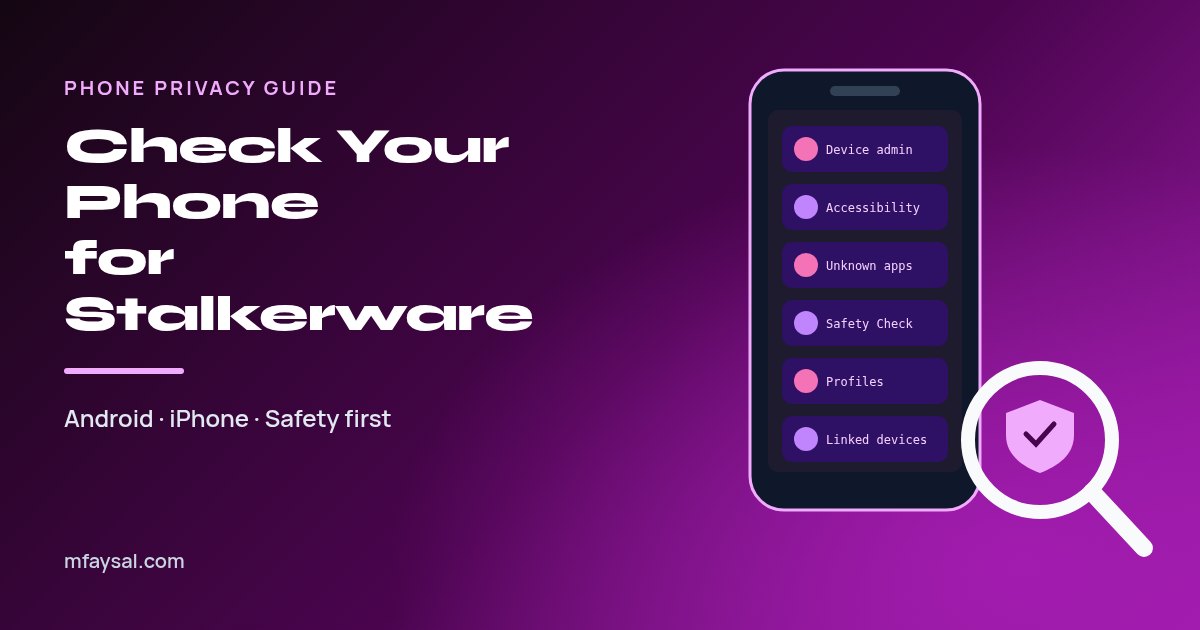
To check your phone for stalkerware, look in the places spying apps need to hide. On Android, go through your full app list (including system apps), then check Device admin apps, Accessibility, Notification access and Install unknown apps, and run a Google Play Protect scan. On iPhone, open Settings, Privacy & Security, Safety Check (iOS 16 or later), look for unknown profiles under General, VPN & Device Management, and check which devices are signed in to your Apple Account. Most stalkerware needs someone to have had your unlocked phone or your account password. Important: if you think a partner or ex is monitoring you, removing the app can alert them, so contact a domestic abuse helpline from a different, safe device before you change anything.
That feeling that someone knows too much, where you've been, who you messaged, what you searched, is horrible. Sometimes there's an innocent explanation, such as a shared family account. Sometimes it's stalkerware, software that lets one person secretly watch another person's phone.
Stalkerware isn't the stuff of spy films. It's sold openly online, often marketed as "parental control" or "employee monitoring", and it doesn't take any hacking skill to install. The person usually just needs a few minutes with your unlocked phone.
This guide shows you, calmly and step by step, how to check an Android phone and an iPhone, what the warning signs really look like, how to close the account loopholes people forget, and how to stay safe while you do it. It's written for readers in the UK and US, with helplines for both.
In this guide:
- First: is it safe for you to check?
- Common signs of stalkerware
- How to check an Android phone for stalkerware
- How to check an iPhone for stalkerware
- Android vs iPhone: where to look
- Check your accounts, not just your phone
- Don't forget physical trackers
- How to remove stalkerware safely
- Prevent stalkerware from coming back
- Where to get help in the UK and US
- Frequently asked questions
First: is it safe for you to check?
Please read this before you touch any settings. Stalkerware is most often used by a current or former partner, and it's usually one part of a wider pattern of control. If that person sees that the app has stopped reporting, or that you've changed your passwords, things can escalate.
The Coalition Against Stalkerware's advice for survivors suggests a few things before removing anything:
- Use a safer device to look for help. A friend's phone, a library computer or a work laptop the other person can't access.
- Make a safety plan with a domestic abuse service before you make big changes. Contact details are at the end of this guide.
- Keep evidence. Deleting stalkerware also deletes evidence. Take photos of suspicious apps or settings with another device if you might report it to the police.
- Trust your instincts. The most common sign isn't a technical one. It's the other person knowing things they shouldn't.
If you're checking a phone for peace of mind, for example a second-hand phone, a phone you lent to someone, or after a break-up that ended safely, you can go straight ahead with the steps below.
Common signs of stalkerware
None of these signs proves anything on its own. Phones get slow and batteries age. Use them as reasons to check, not as a diagnosis.
| Sign | Could be stalkerware because… | Innocent explanations |
|---|
| Someone knows your location, messages or searches | Monitoring apps upload exactly this information | Shared Google or Apple account, Find My or location sharing, shared cloud photos |
| Battery draining faster than usual | Constant background uploading and GPS use | Ageing battery, a recent update, a new game |
| Mobile data use jumped | Recordings and screenshots being sent out | Video streaming, cloud backups, automatic updates |
| Phone is warm when idle | Hidden processes running all the time | Charging, hot weather, background updates |
| "Unknown sources" or "Install unknown apps" switched on (Android) | Most stalkerware is installed outside the Play Store | You side-loaded an app yourself |
| An unfamiliar profile under VPN & Device Management (iPhone) | Profiles can route or monitor traffic | A work or school device management profile |
| iCloud Backup turned on when you didn't do it | Some iPhone spyware reads your iCloud backups rather than the phone | Turned on during setup without you noticing |
| The phone was out of your hands, unlocked, recently | Installation usually needs physical access | None, but worth remembering |
Also look at the phone's notification shade and status bar. On recent versions of Android and iOS, a small green or orange dot appears when an app is using the camera or microphone. If you see one when you're not on a call or using the camera, find out which app is responsible.
How to check an Android phone for stalkerware
Android is the more common target because it allows apps from outside the Play Store and gives powerful permissions to apps that ask for them. Menu names vary a little between Google Pixel, Samsung, Motorola and other brands, so if you can't find a setting, use the search bar at the top of Settings.
Step 1: Look at every installed app. Go to Settings, Apps, then See all apps. Tap the three-dot menu and choose Show system if it's offered. Stalkerware often hides behind boring names such as "System Service", "Sync Services", "Device Health" or "Wi-Fi", sometimes with a generic gear icon. Tap anything you don't recognise and check its permissions and storage use.
Step 2: Check Device admin apps. On a Pixel this is in Settings, Security & privacy, More security & privacy, Device admin apps. On Samsung it's under Security and privacy, Other security settings, Device admin apps. Normally you'll only see things like Find My Device. Monitoring software often registers here so it can't be uninstalled easily.
Step 3: Check Accessibility. Go to Settings, Accessibility and look under Downloaded apps or Installed apps. Accessibility access lets an app read what's on your screen and what you type. Screen readers and password managers may legitimately be here; a "system" app you've never heard of should not.
Step 4: Check special app access. In Settings, Apps, Special app access, review Notification access (can read your messages as they arrive), Usage access, Display over other apps and Install unknown apps. Any app allowed to install other apps that isn't your browser or a file manager you use is worth questioning.
Step 5: Check the Privacy dashboard. Under Settings, Security & privacy, Privacy, Privacy dashboard, you'll see which apps used location, camera and microphone in the last 24 hours or seven days, depending on your version.
Step 6: Run Google Play Protect. Open the Play Store, tap your profile picture, then Play Protect and Scan. Google says Play Protect checks your device for potentially harmful apps from other sources too, and can disable or remove them. Make sure "Scan apps with Play Protect" hasn't been switched off; stalkerware installers often ask for it to be turned off.
Step 7 (optional): Run a reputable security app. Several mainstream mobile security apps detect known stalkerware. Remember that installing one could be noticed by someone monitoring the phone.
How to check an iPhone for stalkerware
iPhones are harder to infect with traditional spying apps, because iOS doesn't allow apps to run hidden in the background or install from outside the App Store without serious workarounds. That's why iPhone monitoring usually works another way: through your Apple Account, iCloud backups, shared locations or a device management profile.
Step 1: Run Safety Check (iOS 16 or later). Open Settings, Privacy & Security, scroll down and tap Safety Check. Choose Manage Sharing & Access to review exactly who you share location, photos, notes and other data with, and which apps can access sensitive information. If you need to cut everyone off at once, Emergency Reset stops all sharing, signs out other devices and helps you change your password. Bear in mind the other person may notice sharing has stopped.
Step 2: Look for configuration profiles. Go to Settings, General, VPN & Device Management. On a personal phone this is usually empty. If you see a profile you didn't install, tap it to see who made it and what it controls. Profiles from your employer or school are normal on a work phone.
Step 3: Check signed-in devices. Tap your name at the top of Settings and scroll to the list of devices. Any iPad, Mac or iPhone you don't own means someone else is signed in to your Apple Account and may be seeing your messages, photos and location.
Step 4: Check iCloud Backup. Some iPhone spyware never touches the phone. It logs in to your iCloud and reads the backups. If backups are on and you didn't enable them, and someone might know your Apple Account password, change that password.
Step 5: Check for an unknown Face ID or fingerprint. In Settings, Face ID & Passcode (or Touch ID & Passcode), look for an alternate appearance or extra fingerprints you didn't add.
Step 6: Look for signs of jailbreaking. A jailbroken iPhone can run hidden spyware. Apps such as Cydia or Sileo that you didn't install, or a phone that won't take iOS updates, are warning signs. Installing the latest iOS update usually removes a jailbreak.
Apple's personal safety guide includes a handy checklist for limiting device and account access, which also covers older iPhones without Safety Check.
Android vs iPhone: where to look
Here's a quick side-by-side summary of the checks above:
| What to check | Android | iPhone |
|---|
| All installed apps | Settings, Apps, See all apps (show system) | Settings, General, iPhone Storage, and the App Library |
| Hidden high-power access | Device admin apps; Accessibility; Notification access | VPN & Device Management (profiles) |
| Apps from outside the store | Special app access, Install unknown apps | Signs of jailbreak (Cydia, Sileo, blocked updates) |
| Who sees your data | Google Account, Security, Your devices; location sharing in Google Maps | Safety Check; Apple Account device list |
| Recent camera, mic and location use | Privacy dashboard | Privacy & Security, App Privacy Report |
| Built-in malware scan | Google Play Protect | None needed for apps; keep iOS updated |
| Strongest clean-up | Factory reset or a new phone | Update iOS, Emergency Reset, factory reset |
Check your accounts, not just your phone
A lot of "my phone is hacked" cases don't involve any app at all. Someone simply knows your password, or still has access from when you shared a device. These checks take ten minutes and close the most common gaps:
- Google Account: visit your Google Account, open Security, then Your devices, and sign out of anything you don't recognise. In Google Maps, check Location sharing.
- Apple Account: review the device list and trusted phone numbers for two-factor authentication.
- WhatsApp: go to Settings then Linked devices. A linked laptop can read every message in real time.
- Other messaging apps: Telegram, Signal, Facebook Messenger and Instagram all show active sessions in their privacy or security settings.
- Email: check for forwarding rules that quietly send copies of your emails elsewhere.
- Call forwarding: on many UK and US networks you can dial
*#21# to see whether unconditional call forwarding is switched on. Your network's help pages explain the right code if it doesn't work. - Shared family plans: family-sharing and carrier "family locator" services can show location without any app on the phone itself.
Once you're safe to do so, change your passwords from a clean device and switch on two-factor authentication. My step-by-step guide on how to set up two-factor authentication covers Google, Apple, Microsoft and the main social apps.
Don't forget physical trackers
If someone always seems to know where you are, the culprit might not be on your phone at all. Small Bluetooth trackers such as AirTags, Tile and Samsung SmartTags can be slipped into a bag, coat pocket or car.
- iPhone shows an "AirTag Found Moving With You" or "Item Found Moving With You" alert for unknown trackers travelling with you.
- Android has built-in unknown tracker alerts. Search Settings for "unknown tracker alerts" and use Scan now to look for nearby trackers manually.
- Check car wheel arches, under seats and inside the boot or trunk for anything you don't recognise.
It's also worth checking which apps can see your camera and microphone on your laptop as well as your phone. My guide on how to check camera and microphone access covers Windows, Mac, Android and iPhone.
How to remove stalkerware safely
If you've found something and it's safe for you to act, here are your options, from gentlest to strongest:
| Option | How well it works | Downsides |
|---|
| Uninstall the app (after removing it from Device admin apps on Android) | Good for known apps | The other person may notice; evidence is lost; they could reinstall it |
| Run a security app's removal tool | Good for known stalkerware families | May not catch everything |
| Factory reset the phone | Very effective | Wipes everything, so back up photos and contacts first; don't restore an old backup blindly |
| Get a new phone and new accounts | The most thorough option | Costs money; you still need to secure your accounts |
Whatever you choose, change your phone's passcode to something the other person can't guess, set the screen to lock quickly, and change your Google or Apple Account password with two-factor authentication on. Otherwise they could simply sign back in or reinstall the app next time they get hold of your phone.
In the US, the Federal Trade Commission has a clear explainer on stalkerware and what to know. In 2021 the FTC banned the SpyFone app maker and its CEO from the surveillance business, which shows regulators take this seriously. In the UK, secretly installing spyware on someone's phone can be an offence under the Computer Misuse Act 1990, and it can also form part of controlling or coercive behaviour.
Prevent stalkerware from coming back
Stalkerware nearly always needs one of two things: your unlocked phone, or your account password. Take both away and you've blocked most of it.
- Use a strong passcode, not your birthday or a pattern someone could watch you draw. Six digits is the minimum; a longer alphanumeric code is better.
- Set auto-lock to 30 seconds or one minute.
- Don't share your passcode, and remove fingerprints or faces you added for someone else.
- Use a unique password for your Google or Apple Account and your email. A password manager makes this painless, and my free password generator creates a strong random one in a click.
- Keep Android and iOS updated, and keep Play Protect switched on.
- Leave "Install unknown apps" off for everything you don't actively need.
- Check again after anyone else has had your phone, even briefly.
Where to get help in the UK and US
You don't have to deal with this on your own, and you don't need to be certain it's stalkerware before reaching out. Use a device the other person can't access.
| Where you are | Who to contact | How |
|---|
| UK | National Domestic Abuse Helpline (run by Refuge) | Free, 24 hours: 0808 2000 247 |
| UK | Refuge Tech Safety | Guides and support for securing phones and accounts |
| US | National Domestic Violence Hotline | Free, 24/7: 1-800-799-7233, or text START to 88788 |
| UK or US, immediate danger | Emergency services | 999 in the UK, 911 in the US |
In the UK, Refuge's tech safety site has step-by-step guides for locking down phones, accounts and smart home devices, written specifically for people experiencing tech abuse.
Frequently asked questions
Can someone install stalkerware without touching my phone?
It's uncommon. Most stalkerware needs a few minutes with your unlocked phone. Remote monitoring more often happens through your accounts, such as someone knowing your Google or Apple Account password, which is why securing your accounts matters as much as checking apps.
Does a factory reset remove stalkerware?
In almost all cases, yes. A factory reset wipes apps and settings, including spying apps. Don't restore an old full backup blindly afterwards, and change your account passwords first, or the monitoring could come straight back.
Can iPhones get stalkerware?
Yes, but differently. Hidden spying apps usually need a jailbroken iPhone. More often, iPhone monitoring works through a shared Apple Account, iCloud backups, location sharing or a configuration profile, which Safety Check and the device list help you find.
Will the person know if I remove stalkerware?
They might. The app stops sending them information, and some apps alert the installer when they're removed. If you think a partner or ex is watching you, speak to a domestic abuse service from a safe device before removing anything.
Is it illegal to put stalkerware on someone's phone?
Installing monitoring software on another adult's phone without their consent can be illegal. In the UK it can break the Computer Misuse Act 1990 and form part of controlling or coercive behaviour. In the US, federal and state wiretapping and computer misuse laws can apply.
Can antivirus apps detect stalkerware?
Many reputable mobile security apps detect known stalkerware, and Google Play Protect scans Android phones for harmful apps from outside the Play Store. No scanner catches everything, so combine a scan with the manual checks in this guide.
What is the difference between stalkerware and parental control apps?
The software can be technically similar. The difference is consent and openness. Parental controls used openly on a child's phone are legal, while secretly monitoring another adult's phone without their knowledge is stalkerware.
Last checked: 30 October 2026. Figures, settings and guidance can change, so confirm anything important with the sources linked above.