Coding tips
Time Calculator 2026: How to Calculate Hours and Minutes
Use a time calculator for timesheets and study logs. Add durations, convert decimal hours, and handle overnight shifts with clear examples.
Convert meeting times across zones with DST-aware tools, read a world clock, and schedule fair slots for London, New York and Dhaka teams.

Someone types “Let’s meet Tuesday at 4.†Four o’clock where? Without a timezone, every remote team eventually books a call that ruins someone’s evening. A timezone converter turns a specific date and time in one zone into the correct local time in another. A world clock shows many cities live so you can see at a glance who is still in office hours.
In 2026, hybrid teams still lose hours to ambiguous abbreviations like “IST†and to DST weekends that land on different dates in the US and Europe. This guide keeps the fix practical: name the zone, convert with DST-aware data, publish UTC as a backup, and check fairness on a world clock board.
Convert with IANA names (Europe/London, Asia/Dhaka), not ambiguous abbreviations like IST, CST or BST.
Prefer a DST-aware timezone converter backed by the IANA Time Zone Database.
Put the UTC equivalent in every invite as a backup line.
Use a world clock to pick a fair hour, then lock the date with a timezone converter.
Triple-check meetings in the two weeks around US and EU daylight saving change Sundays.
A timezone converter answers: “What is 15:00 in Dhaka on 12 November in Chicago?†A world clock answers: “What time is it there right now?†Remote teams need both bookmarks.
| Need | Use |
| --- | --- |
| “What time is it there right now?†| World clock |
| “What time is 15:00 Dhaka on 12 Nov in Chicago?†| Timezone converter |
| “Is 16:00 London fair for Tokyo and Toronto?†| Both |
|---|
Earth is divided into civil time regions that keep a shared clock for law, transport and broadcasting. Borders follow politics and geography more than neat longitude lines. NIST’s local time FAQs note that agencies like NIST are not the administrators of zone borders — governments are — and that offsets can look tidy on a map while still being messy in practice.
UTC (Coordinated Universal Time) is the reference baseline. Zones are described as UTC+06:00, UTC−05:00, and so on. Many regions also observe daylight saving time (DST), shifting local clocks seasonally. That is why “London is five hours ahead of New York†is sometimes true and sometimes not in the exact way people expect around spring and autumn change weekends.
| Abbreviation | Could mean… |
| --- | --- |
| IST | India Standard Time or Irish Standard Time or Israel Standard Time |
| CST | Central Standard Time (US) or China Standard Time or Cuba Standard Time |
| BST | British Summer Time or Bangladesh Standard Time |
|---|
Write Asia/Kolkata, Europe/Dublin, or Asia/Dhaka instead. The W3C note on Working with Time and Timezones recommends IANA identifiers precisely because they point at a rule set, not a vague label.
A solid browser converter does roughly this:
Interpret your wall time as a local civil time in the source zone.
Find the UTC instant that corresponds to that wall time on that date (using the zone’s offset that day).
Browsers expose this through the JavaScript Intl.DateTimeFormat API and the zone data shipped with the engine. You are not downloading a fresh table on every click; you are using the same family of IANA data your operating system already trusts for local notifications.
On a mid-winter date when London is on GMT (UTC+0) and New York is on Eastern Standard Time (UTC−5), 14:00 in London is 09:00 in New York. In mid-summer, London is on BST (UTC+1) and New York on EDT (UTC−4); 14:00 London is still 09:00 New York because both sides shifted. The dangerous weeks are when one region has changed and the other has not yet.
“Office in Springfield†is useless. Springfield exists in several US states with different zones. Store America/Chicago in the team roster.
Write: “Tuesday 14:00 Europe/London (14:00 UTC in winter) / 09:00 America/New_York.†Calendar apps that carry a TZID recalculate correctly when DST rules update; bare offsets in email threads go stale.
CalConnect’s calendar developer guidance on timezone best practices pushes the same ideas software teams already know: store a TZID, convert on display, keep definitions updated.
Aim for times that fall roughly 08:00–18:00 local for every required attendee. If that is impossible, rotate who takes the early or late slot. Publish the rotation so the pain is shared.
US and EU DST transitions often land on different dates. Triple-check meetings in the two weeks around those Sundays.
Europe/London switches between GMT and BST. Never assume London equals UTC.
Asia/Dhaka is typically UTC+06:00 without DST. India (Asia/Kolkata) uses UTC+05:30 — the half hour surprises people who only memorised whole-hour offsets. Nepal uses a 45-minute offset (Asia/Kathmandu).
Do not say “US time.†Eastern, Central, Mountain and Pacific differ, and Arizona mostly skips DST while the Navajo Nation largely observes it — another reason IANA names beat country labels.
Sydney (Australia/Sydney) observes DST; Perth (Australia/Perth) does not. “Call me at 9 Australian time†is incomplete.
Airline tickets print airport local times. Converting your home zone incorrectly is a classic missed-flight story. Convert with the airport’s zone, then re-read the ticket. Broadcasters likewise schedule in a defined zone; always check which one the EPG means.
If you build invites or logs:
Store timestamps in UTC and store the intended TZID for future civil times.
Do not persist only UTC+1 for a future London meeting — BST/GMT will fight you.
Use Intl or a maintained library wired to IANA data.
The IANA tz database updates when governments change rules. OS and browser updates carry those changes to end users; keep devices reasonably current before blaming the converter.
Open the world clock and add every office zone your team uses.
Pick a candidate hour that looks workable for all columns.
Confirm the exact date with the timezone converter.
Paste both local times plus UTC into the calendar invite.
If you also need shift length maths after the call, use the hours calculator.
DST blind spots near transition Sundays.
Abbreviation collisions (IST, CST, BST).
City without a zone (“Canberra time†vs Sydney vs Perth).
Recurring meetings stored as fixed UTC that should stay at 10:00 local through a DST change.
Source and target use IANA names
Date confirmed (not just day-of-week)
UTC line included
Each required person falls inside a humane local window
Recurrence rule reviewed if the series crosses a DST change
Product standup idea: 19:00 Asia/Dhaka.
Convert:
Dhaka 19:00 (UTC+6) → 13:00 UTC
London in winter (UTC+0) → 13:00 local
That can work. Try 23:00 Dhaka instead and New York is still at work while London is in late evening and Dhaka is near midnight — someone loses. The converter makes the arithmetic boring; the world clock makes the fairness obvious.
Browser-based converters that use Intl keep your meeting details on the device. You do not need to paste confidential call titles into a random third-party form. That is a small but real advantage for legal, medical and enterprise teams.
Follow-the-sun support hands tickets across zones so customers get daytime replies. The converter validates the handoff hour; the world clock shows whether the receiving queue is staffed. Write handoff templates with both local times: “Dhaka 18:00 / London 12:00 (winter).†New agents learn faster from dual labels than from UTC alone.
Universities running webinars for diaspora audiences should publish at least three locals plus UTC on the event page. Students screenshot calendars; clarity beats cleverness.
Meeting times
Always include an IANA timezone or a city paired with a zone name.
Include UTC in parentheses for cross-checks.
Prefer calendar events with a TZID over chat-only clock times.
Rotate inconvenient slots across regions each quarter.
Tools
World clock board for staffing views.
Timezone converter for dated conversions.
Pin that policy. It prevents the same argument from resurfacing every time a new hire joins from another continent. Review it once a year when DST rules or office locations change.
Timezone converter — dated local → local conversion
World clock — live multi-city board
Hours calculator — shift length after the call
Time calculator — add/subtract durations
Online stopwatch — time agenda items live
Sibling guides: Online stopwatch how-to · Time calculator / hours & minutes
Converters also help humans, not only meetings. Knowing that your 22:00 arrival is 10:00 “body time†sets expectations for the first meeting next morning. Pair conversion with sleep advice from a medical source you trust; the maths only handles clocks, not melatonin.
Travellers should add the destination zone to a world clock a day before flying. Seeing both “home†and “destination†reduces the odd hotel-room maths at 02:00. Remove stale cities when you return so the board stays scannable.
Deadlines phrased as “close of business†need an explicit zone and sometimes an explicit offset for that date. When in doubt, ask the receiving authority which zone their portal uses. Do not assume the capital city’s zone if overseas territories differ.
Customer support SLAs have the same problem. “Respond within four hours†must state the clock. Business hours in America/Los_Angeles are not the same window as Asia/Singapore. Write SLAs with an explicit zone and a business-hours calendar. Converters help agents quote local expectations to customers abroad without promising overnight miracles.
Maintain a short note:
Me: Asia/Dhaka
Client A: Europe/London
Client B: America/New_York
Vendor: Australia/Sydney
Update it when someone relocates. Most “timezone bugs†in small businesses are roster bugs. Store the same names you type into the timezone converter so chat slang never overwrites the roster.
Leap seconds, historical offsets before 1970, and astronomical time scales matter to specialists. Meeting planners rarely need them. If you work on aviation ops or high-precision telemetry, use domain tools and current standards documentation beyond this overview.
When live attendance across zones is hopeless, schedule two live slots or one live plus a recording. Still announce the live slot with full zone labels. Asynchronous viewers need the file more than the perfect hour; synchronous workshops need the converter and the fairness test.
Board packs for global orgs benefit from the same habit. Directors scattered worldwide hate surprise 05:30 calls. Board secretaries who attach a three-city conversion table to every notice reduce complaints. Update the table each season when DST flips.
Pick a known pair from a trusted source (for example your OS clock) and confirm noon today in two cities. If your converter matches, trust it for near-term meetings. If it disagrees, check the IANA name you typed before assuming DST bugs.
Then practice without a tool first, then check:
09:00 America/Los_Angeles in winter → approximate UTC.
That UTC → Asia/Tokyo.
Europe/Paris in summer → America/Sao_Paulo (watch both DST rules).Confirm on the timezone converter. The goal is not to memorise every offset; it is to build the habit of naming zones and verifying before you send.
Global meetings often need more than conversion. Facilitation benefits from an online stopwatch for speaker limits (see the stopwatch guide). After the call, paid hours still need the hours calculator and the habits in the time calculator guide. Treat them as a kit, not isolated gadgets — stack the tools the way you stack a clear brief: role, time, zone, duration.
Global work is normal now. What remains abnormal is sending a naked clock time into a mixed-zone channel and hoping for telepathy. Converters and world clocks are small tools with outsized manners: they show you respect other people’s evenings. Use them until the habit sticks — then keep using them anyway, because DST weekends never stop being sneaky.
Copy this into your calendar description and fill the brackets:
When: [Weekday], [YYYY-MM-DD]
Host local: [HH:MM] [IANA zone]
Also: [HH:MM] [second IANA zone]
UTC: [HH:MM]Z
World clock check: done
Notes: rotate late slot next month to [region]
Paste the same block into Slack when someone asks “wait, whose 4?†The template forces IANA names, a date (not only a weekday), and a UTC backup — the three ingredients that stop most timezone converter mistakes before they start.
Use IANA zone names and a DST-aware converter (or calendar) rather than mental maths with abbreviations.
If it uses IANA/browser data, yes for the dates your engine knows. Re-check around rule changes and keep software updated.
Use both: world clock to choose a fair hour, converter or calendar TZID to lock the civil time.
Usually a wrong zone, a DST transition, or confusion between UTC and local London time.
A single reference time everyone can convert from. It reduces “whose 4 p.m.?†arguments.
For a past instant, an offset can describe what happened. For future meetings, store a TZID so DST changes do not shift the wrong way.
On the mfaysal world clock, yes — enter any valid IANA name such as Europe/Berlin or Pacific/Auckland.
Related ideas, different job. Meeting tools convert civil times for humans; PHP config keeps server apps consistent. Use each for its purpose.
Ambiguous clock times still create expensive mistakes in 2026. Name the zone, convert with DST-aware data, publish UTC as a backup, and glance at a world clock before you lock the invite. With those habits — and free browser tools for conversion and live city boards — remote collaboration gets quieter in the best way: fewer “I thought you meant my four o’clock†messages.
Use a time calculator for timesheets and study logs. Add durations, convert decimal hours, and handle overnight shifts with clear examples.

Learn how to use a free online stopwatch with start, lap, stop and reset. Record splits, copy results, and time training in your browser.
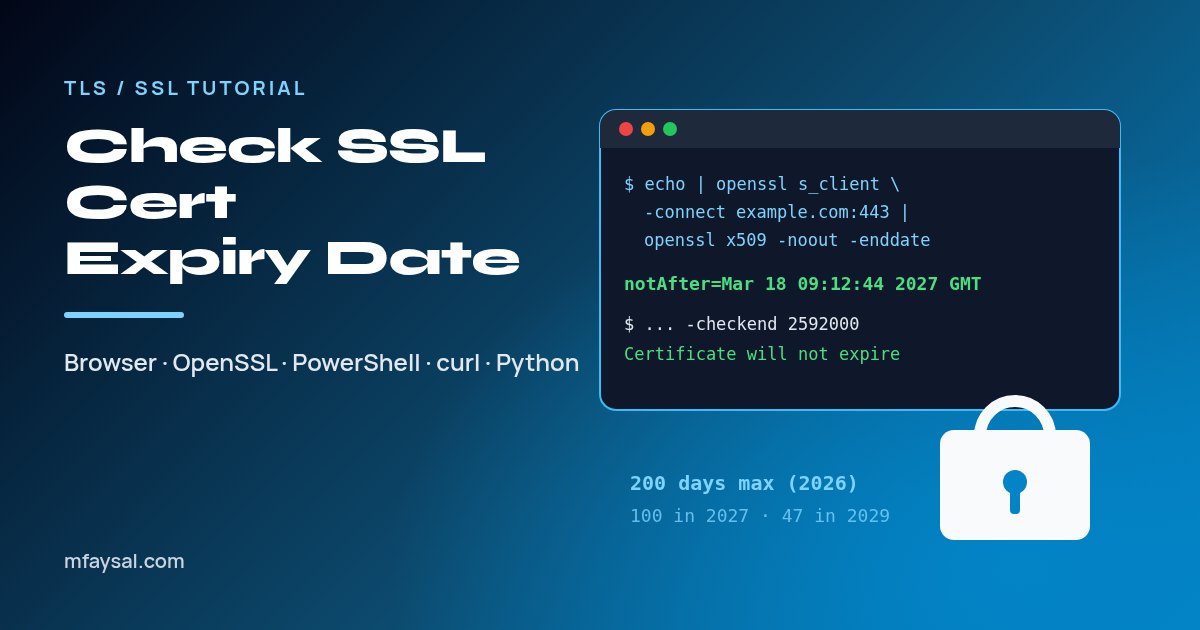
To check an SSL certificate expiry date, click the padlock or site-information icon in your browser and read the Expires on date, or pipe openssl s_client into openssl x509 -noout -enddate. On Windows, PowerShell reads the NotAfter date, and -checkend warns you before it lapses.