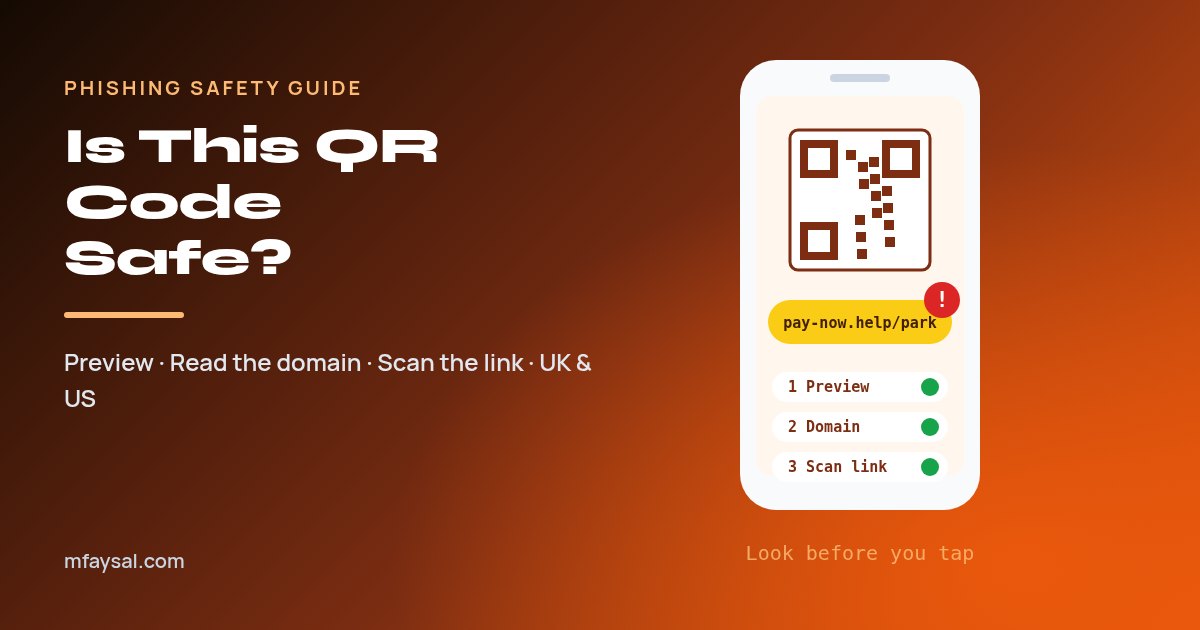
To check if a QR code is safe, don't open it straight away. Point your camera at it, read the web address that pops up, and only tap it if the domain clearly belongs to the organisation you expect (for example gov.uk, your council's own domain or the parking company's real site). Look closely for a sticker stuck over the original code, be extra wary of codes that arrive by email, text or letter, and paste any link you're unsure about into a free checker such as urlscan.io or VirusTotal. If the page asks for a password, card number or app download, close it and use the official website or app instead.
QR codes are everywhere now: car park signs, restaurant menus, parcel slips, train posters, even letters from your bank. They're genuinely handy. But a QR code is just a link you can't read with your eyes, and criminals have worked that out.
This kind of scam has a name, quishing (QR phishing), and it works because people trust a printed square far more than they'd trust a random link in a text message. The fix isn't to stop scanning QR codes altogether. It's to add a ten-second check before you tap.
In this guide I'll show you exactly how to do that check on an iPhone or Android phone, what a dodgy address looks like, which free tools can test a link for you, and what to do (fast) if you've already scanned a bad one. It's written for readers in the UK and the US, so the reporting steps cover both.
In this guide:
- Why QR codes are a favourite trick for scammers
- Step 1: Preview the link before you open it
- Step 2: Read the web address properly
- Step 3: Check the link with a free scanner
- Step 4: Check the code itself, not just the link
- Step 5: Be extra careful with QR codes in emails, texts and letters
- Phone settings that make bad QR codes less dangerous
- What to do if you already scanned a bad QR code
- How to report a QR code scam in the UK and US
- A 10-second QR safety checklist
- Frequently asked questions
Why QR codes are a favourite trick for scammers
A QR code hides the destination until after you've scanned it. That's the whole problem in one sentence. With a normal link you can at least see the words; with a QR code you're trusting whoever printed it.
Scammers use that in a few predictable ways:
- Fake stickers on real signs. A criminal prints their own code and sticks it over the genuine one on a parking meter, EV charger or menu. You pay, but the money goes to them, and you may still get a parking fine.
- QR codes in emails and PDFs. An email says your Microsoft 365 password expires today or your parcel is held, and asks you to scan a code. Because it's an image rather than a link, some email filters miss it, and because you scan it with your phone, you're now outside your work computer's protections.
- Letters and flyers. Fake fines, fake refunds and fake delivery notices sometimes arrive through the letterbox with a code to "pay" or "reschedule".
- Fake app downloads. The code sends you to a page that pushes you to install an app or profile outside the official app store.
The FBI's Internet Crime Complaint Center has warned about exactly this, saying criminals are tampering with QR codes to redirect victims to malicious sites that steal login and payment details. The method hasn't changed much since; the places the codes turn up have simply multiplied.
The good news: a QR code can't do much on its own. On a modern, updated phone, scanning a code usually just shows you a link. The damage happens when you open the page and then type something in, pay, or install something. That gives you a clear moment to stop and check.
Step 1: Preview the link before you open it
Both iPhone and Android show you the web address before opening it. Make that preview your habit.
On an iPhone
- Open the Camera app (or the Code Scanner in Control Centre).
- Point it at the code and hold steady. Don't tap anything yet.
- A yellow button or banner appears showing the website's address. Read it carefully.
- Only tap it if the address looks right. If it doesn't, just move the camera away; nothing has opened.
Apple's own guide shows how to scan a QR code with your iPhone camera, including the Code Scanner option.
On an Android phone
- Open the Camera app, or use Google Lens or the QR scanner tile in your quick settings (the exact names vary between Samsung, Pixel and other phones).
- Point it at the code. A small chip or pop-up appears with the address.
- Read the address before tapping. Most scanners also let you copy the link instead of opening it, which is perfect for checking it with a scanner (Step 3).
A tip that helps a lot: if the preview only shows part of the address, copy it and paste it into your notes app so you can read the whole thing. Scammers rely on long addresses getting cut off.
Avoid third-party "QR reader" apps from unknown developers. Your built-in camera does the job, doesn't fill your screen with ads, and won't ask for permissions it doesn't need.
Step 2: Read the web address properly
This is the step that catches most fake codes. You don't need to be technical; you just need to know which part of the address actually matters.
In a web address like https://pay.ringgo.co.uk/parking, the important bit is the domain: the part just before the first single slash, read from the right. Here that's ringgo.co.uk. Everything to the left of it (pay.) is a label the owner chose, and everything after the slash is just a page on that site.
So ringgo.co.uk.pay-now.help/parking is not RingGo at all. Its real domain is pay-now.help, which anyone could have bought. (RingGo is just used as an example of a real UK parking app here.)
| What you see | Why it's a red flag |
|---|
Misspellings like paypa1.com, rnicrosoft.com (r + n instead of m) | Lookalike domains are built to pass a quick glance. |
The brand name followed by extra words, like evri-redelivery-uk.com | Real companies rarely bolt words onto their main domain for payments. |
Odd endings such as .top, .xyz, .click for a bank, council or big brand | Not always bad, but unusual for official services. |
A link shortener (bit.ly, tinyurl.com and similar) | Hides the real destination. Fine on a poster from a known brand, risky for payments. |
A raw IP address, like http://185.23.x.x/login | Legitimate services almost always use a named domain. |
http:// instead of https:// | No encryption. That said, https alone doesn't prove a site is genuine; scam sites use it too. |
If you're not sure what the real domain should be, search for the organisation yourself and compare. Councils in the UK usually sit on their own .gov.uk domain; US federal agencies use .gov. The same "read the domain" skill is what protects you from email scams too, and I go through more examples in my guide on how to spot phishing emails.
Step 3: Check the link with a free scanner
If the address looks plausible but you're still not sure, let a scanner look at it for you. This takes about a minute and you never have to open the page yourself.
- In your QR preview, choose Copy (or long-press the link and copy it) instead of opening it.
- Open a URL-checking site in your browser. Two reliable free ones are urlscan.io and VirusTotal.
- Paste the link and start the scan. On urlscan.io you can choose a public, unlisted or private scan; pick unlisted or private if the link might contain your details.
- Look at the result: the final domain it ends up on, a screenshot of the page, and whether any security vendors flag it.
| What the scanner shows | What it means for you |
|---|
| Flagged as phishing or malicious by several engines | Don't open it. Report it (see the reporting section below). |
| Redirects through several sites before landing somewhere unrelated | Treat as suspicious, even if nothing is flagged yet. |
| Screenshot shows a login page for Microsoft, Google, your bank or a parking app | Very likely a fake. Go to the real site or app yourself instead. |
| Clean result and the final domain matches the real organisation | Probably fine, but still don't type passwords unless you went there yourself. |
One honest caveat: a brand-new scam page might not be flagged by anything yet. A clean result is reassuring, not a guarantee. The domain check in Step 2 still matters most.
Step 4: Check the code itself, not just the link
For codes in the real world, a quick look at the physical code can save you before you even lift your phone.
- Run a finger over it. If the code is a sticker on top of the printed sign, with raised edges, bubbles or a slightly different colour, don't scan it.
- Look for a second code underneath. Fake stickers are often stuck over the real one, sometimes slightly crooked.
- Check the sign makes sense. Official parking signs normally also show a location code, a phone number and an app name. If the QR code is the only way to pay, be cautious.
- Watch for codes in odd places. A QR code taped to a lamp post promising a refund or a free gift card is never a good idea.
| Where you see the code | Risk level | Safer option |
|---|
| Car park, parking meter, EV charger | High (popular target for sticker scams) | Use the operator's official app or type the web address printed on the sign |
| Email or PDF attachment | High | Log in to the service directly, never via the code |
| Text message or WhatsApp from an unknown number | High | Ignore and report it |
| Letter claiming a fine or refund | Medium to high | Look up the organisation's real contact details yourself |
| Restaurant table menu | Low to medium | Fine for viewing a menu; ask staff before paying through it |
| Product packaging from a brand you bought | Low | Still read the domain before entering anything |
Step 5: Be extra careful with QR codes in emails, texts and letters
QR codes inside messages deserve their own warning, because this is where most targeted scams happen, especially at work.
Think about why a genuine organisation would send you a code instead of a normal link. Usually there isn't a good reason. A code in an email often means the sender wants you to move from your well-protected work laptop to your personal phone, where your company's email security, web filters and password manager aren't watching.
Common examples include:
- "Your password expires today, scan to keep it" (fake Microsoft 365 or Google Workspace pages).
- "Your parcel couldn't be delivered, scan to pay a small redelivery fee" (fake Royal Mail, Evri, USPS or UPS pages).
- "You have a tax refund waiting, scan to claim" (HMRC and the IRS don't contact people about refunds this way).
- "Sign this document" with a code in a PDF invoice or contract.
The rule is simple: if a message asks you to scan a code to log in, pay or confirm details, don't. Open the official app, or type the organisation's address into your browser yourself, and check your account there. If something genuinely needs your attention, it will be waiting for you.
If it's a work email, report it to your IT or security team using your company's usual "report phishing" button. They'd much rather hear about ten harmless emails than miss one real attack.
Phone settings that make bad QR codes less dangerous
A few settings won't stop every scam, but they make the bad outcomes a lot less likely.
- Keep your phone and browser updated. Updates fix the security holes that malicious pages try to use. Turn on automatic updates on iPhone (Settings > General > Software Update) and Android (Settings > System or Software update).
- Leave your browser's safe-browsing protection on. Safari's Fraudulent Website Warning and Chrome's Safe Browsing warn you about known scam pages. Don't switch them off.
- Only install apps from the official stores. If a QR code page tells you to install an app or a "configuration profile" from the page itself, stop.
- Use a password manager. It only fills your password on the real domain, so it quietly refuses to fill on a lookalike site. That refusal is a great warning sign.
- Turn on two-step verification. Even if a fake page steals your password, an authenticator app or passkey stops most account takeovers. My guide on how to set up two-factor authentication walks you through it.
What to do if you already scanned a bad QR code
Don't panic; just act quickly. What you do depends on how far you got.
| What happened | What to do now |
|---|
| You only opened the page | Close the tab. Clear the browser history for that site if you like. Usually nothing else is needed on an updated phone. |
| You typed a password | Change that password straight away from the real site or app, plus anywhere else you reused it. Sign out of other sessions and turn on two-step verification. |
| You entered card or bank details | Call your bank using the number on the back of your card and tell them. Freeze or cancel the card in your banking app if you can. |
| You downloaded an app or profile | Delete it. On iPhone, check Settings > General > VPN & Device Management for unknown profiles. On Android, check your app list and remove anything you don't recognise. |
| You paid for parking through a fake code | Tell your bank, then pay properly through the official app or machine so you don't get a fine. |
After that, keep an eye on your bank statements and email for a few weeks. If you entered your email address and password, it's also worth checking whether that address has appeared in other leaks; here's how to check if your email was breached.
And please don't feel embarrassed. These scams are designed by people who do this full time. Reporting it quickly is the useful, grown-up move.
How to report a QR code scam in the UK and US
Reporting helps get scam sites taken down and builds the evidence police and regulators need.
| Where you are | What to report | Where to report it |
|---|
| UK | Scam emails, including ones with QR codes | Forward to report@phishing.gov.uk |
| UK | Scam text messages | Forward the text to 7726 (free on most networks) |
| UK | A scam website (paste the link from the QR code) | The NCSC's report a scam website form |
| UK | You lost money | Your bank first, then Action Fraud (England, Wales and Northern Ireland) or Police Scotland on 101 |
| UK | A fake sticker on a council or company sign | The council or operator named on the sign, so they can remove it |
| US | Any scam or fraud | The FTC at reportfraud.ftc.gov |
| US | Online crime, especially if you lost money | The FBI's IC3 at ic3.gov |
| US | Scam texts | Forward to 7726 (SPAM) for your carrier |
The UK's National Cyber Security Centre has all of its official guidance on spotting and reporting phishing scams in one place, including the scam website form.
If you can, take a photo of the fake code and where you found it before you report it. It makes the report far more useful.
A 10-second QR safety checklist
Save this, or screenshot it for family members who scan everything without thinking:
- Expected? Did I expect a code here? If it came in an email, text or letter, slow down.
- Sticker? Is the code stuck over something? Then don't scan.
- Preview. Read the address before tapping.
- Domain. Does the real domain belong to the organisation I expect?
- Ask. Is the page asking for a password, card details or an app install? Then close it and go direct.
That's it. Most QR codes are perfectly fine, and this little routine lets you keep using them without worrying. If you want more simple, practical security guides like this one, have a browse of my blog, and for everyday calculations take a look at my free online tools.
Frequently asked questions
Can you get hacked just by scanning a QR code?
On an up-to-date phone, scanning a QR code usually only shows you a link, so simply scanning is low risk. The danger comes from opening the page and then entering passwords or card details, downloading an app, or using an old phone with unpatched security holes.
How can I tell if a QR code is fake?
Check whether it's a sticker placed over another code, then preview the link and read the real domain. If the domain doesn't belong to the organisation you expect, has misspellings or extra words, or the page immediately asks for login or payment details, treat it as fake.
Is there an app to check if a QR code is safe?
You don't need a special app. Your phone's built-in camera shows the link before opening it, and you can copy that link into a free checker such as urlscan.io or VirusTotal. Be wary of unknown third-party QR apps, which can be full of ads or ask for unnecessary permissions.
Are QR codes on parking meters safe?
Many are genuine, but parking meters and car parks are a common target for fake stickers. The safest option is to use the parking operator's official app or type the web address printed on the sign, rather than scanning a code you can't verify.
Is HTTPS enough to prove a QR code link is safe?
No. HTTPS means the connection is encrypted, not that the site is honest. Scam sites can get certificates too, so always check that the domain itself belongs to the organisation you expect.
What should I do if I entered my bank details after scanning a QR code?
Call your bank straight away using the number on the back of your card, freeze or cancel the card if your app allows it, and then report the scam. In the UK that means Action Fraud (or Police Scotland on 101); in the US, the FTC and IC3.
Why do scam emails use QR codes instead of links?
A QR code is an image, so some email filters don't recognise it as a link, and it encourages you to scan it with your personal phone, which often has fewer protections than a work computer. That makes it harder for security tools to stop the scam.
Last checked: 28 October 2026. Figures, settings and guidance can change, so confirm anything important with the sources linked above.