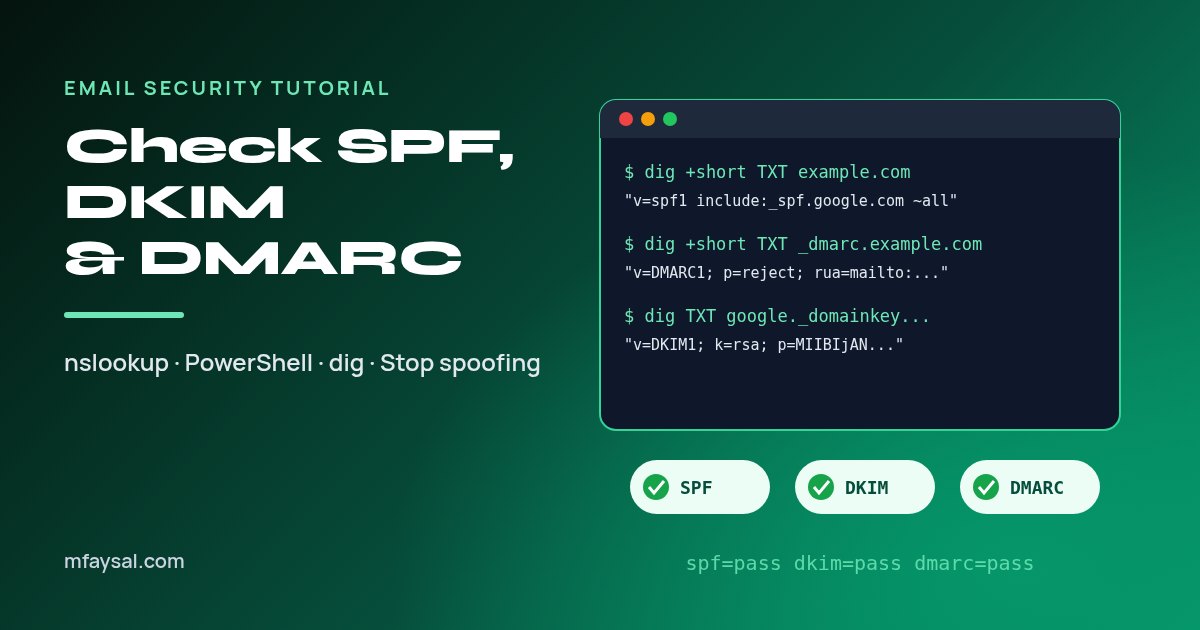
To check SPF, DKIM and DMARC records, look up three DNS TXT records. SPF lives on the domain itself (for example example.com) and starts with v=spf1. DMARC lives at _dmarc.example.com and starts with v=DMARC1. DKIM lives at selector._domainkey.example.com, where the selector is a name you find in the s= tag of an email's DKIM-Signature header. On Windows run nslookup -type=TXT or Resolve-DnsName; on a Mac or Linux run dig TXT.
If your emails keep landing in spam, or someone has been sending fake invoices "from" your domain, these three records are the first thing to look at. They're how Gmail, Outlook and every other mail provider decide whether a message really came from you.
The good news is you don't need a paid tool to check them. Every computer already has the commands built in, and the output is easier to read than it looks once you know what each part means.
In this tutorial I'll walk you through checking all three records on Windows, macOS and Linux, show you how to read the results, and cover the mistakes I see most often, from two SPF records to a DMARC policy that never got past "none". It's written for small business owners, IT folk and developers in the UK and US.
In this guide:
- SPF, DKIM and DMARC in plain English
- What you need before you start
- Step 1: Check the SPF record
- Step 2: Find your DKIM selector
- Step 3: Check the DKIM record
- Step 4: Check the DMARC record
- Check against a public DNS server
- A quick script to check all three at once
- Common mistakes and how to fix them
- Moving DMARC from none to reject safely
- Command-line checks vs online checkers
- If someone is spoofing your domain right now
- Frequently asked questions
SPF, DKIM and DMARC in plain English
Think of these three records as a team. Each one answers a different question a receiving mail server asks when your message arrives.
| Record | Question it answers | Where it lives | Starts with |
|---|
| SPF | Is this server allowed to send mail for the domain? | example.com | v=spf1 |
| DKIM | Was the message signed by the domain and left unchanged? | selector._domainkey.example.com | v=DKIM1 (or a CNAME to your provider) |
| DMARC | What should happen if SPF and DKIM fail, and who gets reports? | _dmarc.example.com | v=DMARC1 |
SPF (Sender Policy Framework) is a list of servers and services allowed to send email for your domain, such as Google Workspace, Microsoft 365 or Mailchimp.
DKIM (DomainKeys Identified Mail) adds a cryptographic signature to every message. The receiving server fetches your public key from DNS and checks the signature still matches.
DMARC ties the two together. It tells receivers what to do when a message claiming to be from you fails both checks, and it asks them to send you reports, so you can see who's sending in your name.
All three matter more than they used to. Since February 2024, Gmail has required anyone sending 5,000 or more messages a day to personal Gmail accounts to set up SPF, DKIM and a DMARC record, and Microsoft's Outlook.com introduced similar rules for high-volume senders in May 2025. You can read the exact wording in Google's email sender guidelines. Even if you send far less than that, the records protect your domain from being spoofed.
What you need before you start
- The domain you send email from. This is the part after the @ in your From address, which may differ from your website address.
- A terminal. Command Prompt or PowerShell on Windows, Terminal on macOS, any shell on Linux. Nothing needs installing on Windows or a Mac; most Linux distributions include
dig in a package called dnsutils or bind-utils. - One email from that domain (optional, but needed for DKIM). You'll use its headers to find the DKIM selector.
Throughout this guide I'll use example.com as a placeholder. Swap in your own domain each time. All of these lookups are read-only, so you can safely check any public domain, including your bank's or a supplier's, to see how well they're protected. For other quick no-sign-up helpers, such as converters and date calculators, see my free online tools.
Step 1: Check the SPF record
SPF is a TXT record on the domain itself. Domains often have several TXT records (Google and Microsoft verification codes, for example), so look for the one that starts with v=spf1.
Windows (Command Prompt):
nslookup -type=TXT example.com
Windows (PowerShell):
Resolve-DnsName example.com -Type TXT | Where-Object { $_.Strings -match 'v=spf1' }
macOS or Linux:
dig +short TXT example.com | grep -i spf1
A typical result for a business on Google Workspace that also sends newsletters looks like this:
"v=spf1 include:_spf.google.com include:servers.mcsv.net ~all"
Here's how to read each part:
| Part | Meaning |
|---|
v=spf1 | This is an SPF record (version 1). |
include:_spf.google.com | Trust whatever servers Google lists for its own SPF. |
ip4:203.0.113.25 | Trust this specific IP address. |
mx / a | Trust the domain's mail servers or its website address. |
~all | Soft fail: treat everything else as suspicious. |
-all | Hard fail: everything else is not allowed. |
?all / +all | Neutral or allow everyone. Both are effectively useless, and +all is dangerous. |
Check that every service you actually send mail through appears in the record. If your invoicing tool, CRM or help desk sends email "as" you and isn't listed, those messages can fail SPF.
Step 2: Find your DKIM selector
DKIM is the awkward one, because DNS has no way to list every DKIM key on a domain. You need the selector, a short name the sending service chose, such as google, selector1, s1 or k1.
The easiest way to find it is from a real email:
- Send yourself an email from the domain you want to check.
- Open the message headers. In Gmail, open the email, click the three-dot menu and choose Show original. In Outlook on the web, open the message, click the three dots and pick View then View message source. In Apple Mail, choose View, Message, All Headers.
- Search the headers for
DKIM-Signature. - Note the
d= value (the signing domain) and the s= value (the selector).
DKIM-Signature: v=1; a=rsa-sha256; c=relaxed/relaxed;
        d=example.com; s=google; h=from:to:subject:date; ...
In this example the selector is google, so the DKIM record lives at google._domainkey.example.com.
While you're in the headers, look for a line called Authentication-Results. It shows the receiving server's verdict, for example spf=pass, dkim=pass and dmarc=pass. That's the quickest real-world test you can run.
Common selectors if you can't get an email: Google Workspace uses google by default, and Microsoft 365 uses selector1 and selector2. Other providers vary, so the headers are always the reliable source.
Step 3: Check the DKIM record
Now look up the selector you found. Replace google with your own selector.
Windows:
nslookup -type=TXT google._domainkey.example.com
Resolve-DnsName google._domainkey.example.com -Type TXT
macOS or Linux:
dig +short TXT google._domainkey.example.com
A healthy result contains a public key:
"v=DKIM1; k=rsa; p=MIIBIjANBgkqhkiG9w0BAQEFAAOCAQ8AMIIBCgKC..." "...IDAQAB"
v=DKIM1 marks it as a DKIM key.k=rsa is the key type.p= is the public key itself. If p= is empty, the key has been revoked and signatures with that selector will fail.
Don't panic if the answer is split into several quoted chunks. Long 2048-bit keys don't fit in one DNS string, so they're stored in pieces and joined back together by the receiver.
Microsoft 365 publishes DKIM as a CNAME that points to a record Microsoft hosts. If your lookup shows a CNAME instead of a key, that's normal; the tools follow it automatically. If you get no answer at all, either the selector is wrong or DKIM signing was never switched on in your provider's admin panel.
Step 4: Check the DMARC record
DMARC always lives at the special name _dmarc in front of your domain, not on the domain itself. This catches a lot of people out, because a TXT lookup on the bare domain will never show it.
Windows:
nslookup -type=TXT _dmarc.example.com
Resolve-DnsName _dmarc.example.com -Type TXT
macOS or Linux:
dig +short TXT _dmarc.example.com
A typical record looks like this:
"v=DMARC1; p=quarantine; rua=mailto:dmarc-reports@example.com; pct=100; adkim=r; aspf=r"
| Tag | What it does | Common values |
|---|
p | Policy for mail that fails DMARC | none (monitor only), quarantine (spam folder), reject (block) |
rua | Where daily aggregate reports go | An email address or reporting service |
sp | Policy for subdomains | Same values as p |
pct | Percentage of failing mail the policy applies to | 1 to 100 (default 100) |
adkim / aspf | How strictly domains must match | r (relaxed, default) or s (strict) |
The most important tag is p. A policy of none means receivers just report failures and still deliver spoofed mail. It's the right place to start, but it doesn't stop anyone impersonating you. The full rules are in the DMARC standard, RFC 7489.
Check against a public DNS server
If you've just changed a record, your computer may still be showing an old cached answer. Ask a public resolver directly to see what the rest of the internet sees:
nslookup -type=TXT _dmarc.example.com 1.1.1.1
Resolve-DnsName _dmarc.example.com -Type TXT -Server 8.8.8.8
dig @1.1.1.1 +short TXT _dmarc.example.com
DNS changes usually show up within minutes to a few hours, depending on the record's TTL (time to live). If two resolvers give different answers, wait for the old TTL to run out before assuming something is broken. The PowerShell command used here is documented on Microsoft's Resolve-DnsName reference page, which lists every switch it supports.
A quick script to check all three at once
If you check domains often, save yourself some typing. This little Bash script works on macOS and Linux:
#!/usr/bin/env bash
# usage: ./mailcheck.sh example.com google
d="$1"; sel="${2:-google}"
echo "SPF:";   dig +short TXT "$d" | grep -i 'v=spf1' || echo "  none found"
echo "DMARC:"; dig +short TXT "_dmarc.$d" || echo "  none found"
echo "DKIM ($sel):"; dig +short TXT "$sel._domainkey.$d" || echo "  none found"
And the PowerShell equivalent for Windows:
param([string]$d, [string]$sel = "selector1")
"SPF:";   (Resolve-DnsName $d -Type TXT -ErrorAction SilentlyContinue).Strings | Where-Object { $_ -like 'v=spf1*' }
"DMARC:"; (Resolve-DnsName "_dmarc.$d" -Type TXT -ErrorAction SilentlyContinue).Strings
"DKIM:";  Resolve-DnsName "$sel._domainkey.$d" -Type TXT -ErrorAction SilentlyContinue
Save it as mailcheck.ps1 and run .\mailcheck.ps1 example.com selector1. If PowerShell refuses to run scripts, run the three lines by hand instead rather than loosening your execution policy.
Common mistakes and how to fix them
| Problem | What you'll see | Fix |
|---|
| Two SPF records | Two TXT answers starting with v=spf1 | Merge them into one record. Two records make SPF fail completely. |
| Too many DNS lookups | Many include: entries | SPF allows at most 10 lookups. Remove services you no longer use. |
+all at the end | v=spf1 ... +all | Change to ~all or -all. +all lets anyone send as you. |
| DMARC on the wrong name | No answer at _dmarc. | Publish it at _dmarc.yourdomain, not dmarc. or the root. |
Stuck on p=none | p=none for months | Read your reports, fix legitimate senders, then move to quarantine. |
No rua address | DMARC record without rua= | Add one so you actually receive reports. |
| DKIM never turned on | No record for the selector | Enable DKIM signing in your email provider's admin console. |
The 10-lookup limit is the one that sneaks up on growing businesses. Every include, a, mx and redirect counts, and includes inside includes count too. It's spelled out in section 4.6.4 of the SPF standard, RFC 7208.
Moving DMARC from none to reject safely
Jumping straight to p=reject can block your own invoices or newsletters if one service isn't set up properly. A gentler path works for most small organisations:
- Weeks 1 to 4: publish
p=none with a rua address and read the reports. Free and paid DMARC report tools turn the XML into readable charts. - Fix every legitimate sender that fails. Usually that means adding it to SPF or switching on DKIM signing inside that service.
- Move to
p=quarantine; pct=25, then raise pct to 50 and 100 over a few weeks while watching for complaints. - Finish with
p=reject once reports show only spoofed mail failing.
In the UK, the National Cyber Security Centre recommends exactly this kind of staged rollout, and its email security and anti-spoofing guidance is worth bookmarking. In the US, federal agencies have had to reach p=reject since CISA's Binding Operational Directive 18-01, which shows how standard the target has become.
Command-line checks vs online checkers
You can also paste a domain into a web checker. Both approaches have a place:
| Command line | Online checker |
|---|
| Cost | Free, built in | Usually free for basic checks |
| Shows raw record | Yes, exactly as published | Usually, plus a parsed summary |
| Counts SPF lookups | No, you count by hand | Often yes |
| Works offline or scripted | Yes | No |
| Privacy | Only your DNS resolver sees the query | The site logs what you looked up |
My habit is to use the command line to see the real record, then a checker such as MxToolbox SuperTool to count SPF lookups when a record gets long.
If someone is spoofing your domain right now
If customers are receiving fake emails that look like they're from you, act quickly:
- Check all three records using the steps above and fix any gaps.
- Tighten DMARC to
quarantine as soon as your legitimate senders pass. - Warn customers through your website or social channels, and tell them you'll never ask them to change bank details by email.
- In the UK, forward suspicious emails to
report@phishing.gov.uk and report fraud to Action Fraud. In the US, report to the FTC and the FBI's IC3.
If you want to teach your team what these fake messages look like, my guide on how to spot phishing emails covers the warning signs in plain English.
Frequently asked questions
How do I check if my DMARC record is working?
Look up the TXT record at _dmarc.yourdomain with nslookup, PowerShell or dig, then send yourself an email and check the Authentication-Results header for dmarc=pass. Aggregate reports sent to your rua address confirm it over time.
Why can't I find my DKIM record?
DKIM records sit at selector._domainkey.yourdomain, so you need the exact selector. Find it in the s= tag of the DKIM-Signature header on an email you sent. If nothing exists there, DKIM signing probably isn't enabled in your email provider.
Can a domain have two SPF records?
No. Publishing two TXT records that start with v=spf1 causes a permanent SPF error, so receivers treat the domain as having no valid SPF. Merge everything into a single record.
What is the difference between ~all and -all in SPF?
~all is a soft fail, which marks unlisted senders as suspicious, while -all is a hard fail, which says they are not allowed. With DMARC in place, many admins use ~all and let the DMARC policy decide what happens.
Is p=none enough for DMARC?
p=none is fine for monitoring at the start, and it meets the minimum Gmail and Outlook.com ask of bulk senders. It doesn't stop spoofing, though, so aim to move to quarantine and then reject once your reports look clean.
How long do DNS changes take to show up?
Usually minutes to a few hours, depending on the record's TTL. Query a public resolver such as 1.1.1.1 or 8.8.8.8 directly to see the latest published value.
Do I need SPF, DKIM and DMARC for a personal Gmail address?
No. If you use an @gmail.com or @outlook.com address, Google or Microsoft manages these records for you. You only need to set them up for a custom domain you own.
Last checked: 29 October 2026. Figures, settings and guidance can change, so confirm anything important with the sources linked above.